
MagicSlides
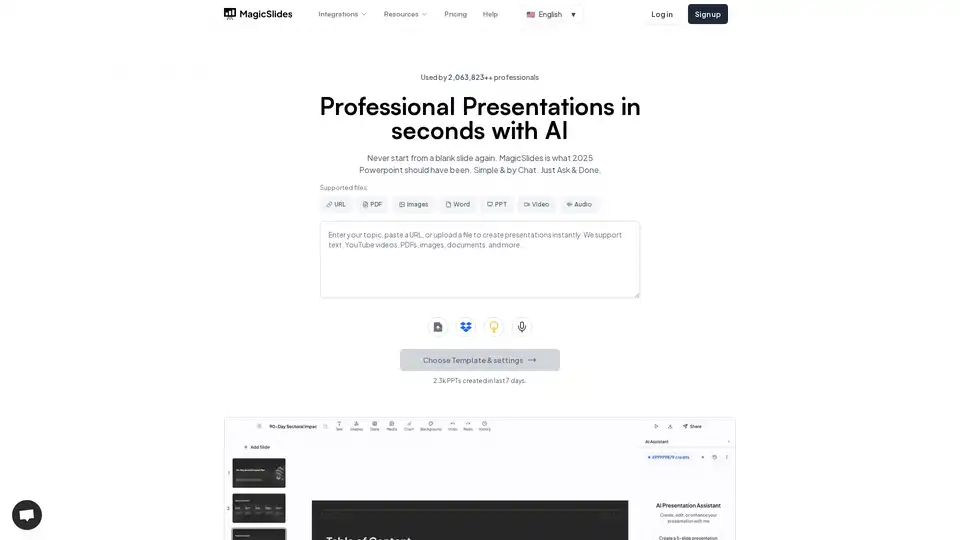
Overview of MagicSlides
MagicSlides: The AI Presentation Maker That Transforms Your Ideas into Stunning Slides
What is MagicSlides?
MagicSlides is an AI-powered presentation maker designed to help you create professional-looking presentations in seconds. It eliminates the need to start from a blank slide, offering a seamless way to transform your text, URLs, YouTube videos, PDFs, and other content sources into engaging and informative presentations.
How does MagicSlides work?
MagicSlides leverages advanced AI algorithms to analyze your input and automatically generate presentation slides. Here's a breakdown of how it works:
- Content Input: You provide the content, which can be a topic, text outline, URL, YouTube video link, PDF, Word document, or even images.
- AI Analysis: The AI analyzes your content, identifies key points, and structures the information logically.
- Slide Generation: MagicSlides creates a series of slides with relevant headings, bullet points, images, and other visual elements.
- Customization: You can customize the generated slides by choosing a template, adjusting the layout, and editing the content to match your specific needs.
Key Features of MagicSlides
- Text to Presentation: Simply paste your text and MagicSlides will convert it into a ready-to-use PPT in seconds.
- Topic to Presentation: Enter a topic and the desired number of slides, and MagicSlides will generate a presentation tailored to that topic.
- AI Pitch Deck Generator: Paste your pitch content and let MagicSlides craft a professional pitch deck for you.
- YouTube to PPT: Convert YouTube videos into PPT presentations by simply pasting the video link.
- URL to PPT: Transform the content of any URL into a presentation.
- PDF to PPT: Convert PDF documents into editable PowerPoint presentations.
- Docx to PPT: Upload your Word documents and let MagicSlides transform them into stunning presentations.
- Image to PPT: Transform images into complete, polished PPT presentations.
- AI-Powered Slide Creation: MagicSlides offers various AI-powered slide creation options, including:
- Pros/Cons Slide
- Bullet Point + Image Slide
- Lists Slide
- Metrics Slide
- Three Column Slide
- Timeline Slide
- SWOT Analysis Slide
Why Choose MagicSlides?
- Saves Time: Create presentations in seconds, eliminating the need to spend hours designing slides manually.
- Easy to Use: Simple and intuitive interface makes it easy for anyone to create professional presentations, regardless of their design skills.
- Versatile: Supports various content formats, including text, URLs, YouTube videos, PDFs, and more.
- Customizable: Offers a range of templates and customization options to match your brand and style.
- Multilingual: Supports over 136 languages, making it easy to create presentations in your native language or any language you need.
Who is MagicSlides for?
MagicSlides is designed for a wide range of users, including:
- Professionals: Create presentations for meetings, conferences, and sales pitches.
- Educators: Develop engaging and informative presentations for lectures and workshops.
- Students: Prepare presentations for class assignments and projects.
- Anyone who needs to create presentations quickly and easily.
Integrations
MagicSlides seamlessly integrates with your favorite tools, including:
- Google Slides: Create and manage presentations directly in Google Slides with the MagicSlides add-on.
- Chrome: Access MagicSlides directly from your Chrome browser with the browser extension.
- Figma: Transform your Figma designs into beautiful presentations with one click.
- ChatGPT: Generate presentations directly within ChatGPT.
- Telegram: Generate presentations on the go using the Telegram bot.
- Zapier: Automate your presentation workflow by connecting MagicSlides with 4000+ apps.
How to Use MagicSlides?
- Sign Up: Create an account on MagicSlides.app.
- Choose a Content Source: Select the type of content you want to use to create your presentation (e.g., topic, text, URL, YouTube video, PDF).
- Enter Your Content: Provide the necessary information, such as the topic, text, URL, or upload your file.
- Customize Your Presentation: Choose a template, adjust the layout, and edit the content as needed.
- Download Your Presentation: Download your presentation as a PPT file.
Conclusion
MagicSlides is a powerful AI presentation maker that can help you create professional-looking presentations in seconds. With its easy-to-use interface, versatile features, and seamless integrations, MagicSlides is the perfect tool for anyone who wants to save time and create engaging presentations effortlessly.
Best way to create presentations?
MagicSlides provides many ways to create presentations with ai such as topic to presentation, youtube video to presentation, and even from images. Using MagicSlides you can make engaging presentations effortlessly.
Tags Related to MagicSlides
