
Memosa
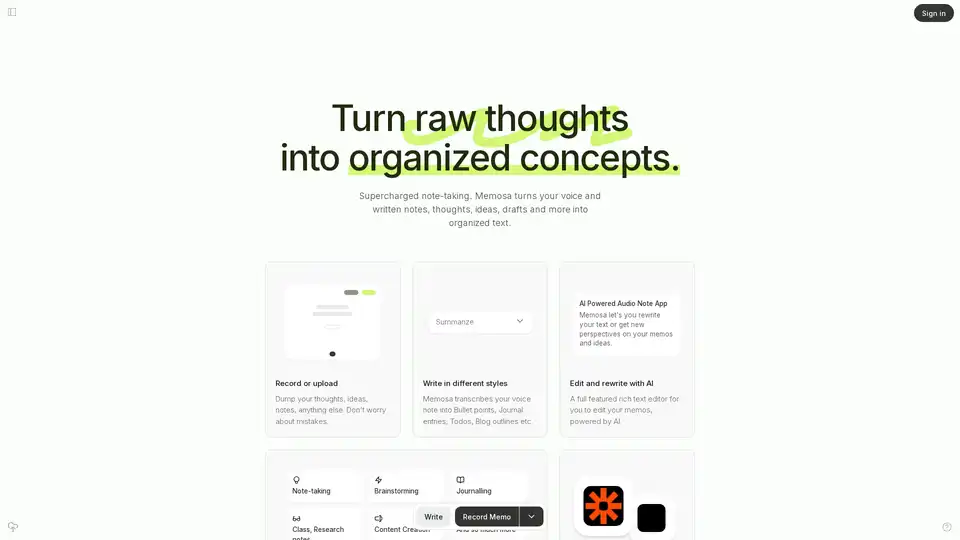
Overview of Memosa
Memosa: Transforming Raw Thoughts into Organized Concepts with AI
What is Memosa? Memosa is an AI-powered audio note application designed to transcribe and organize your voice and written notes into structured text. It helps users transform messy thoughts, ideas, and drafts into organized concepts that are easy to edit and share.
How does Memosa work?
Memosa simplifies note-taking by allowing users to record or upload their thoughts without worrying about mistakes. The AI then transcribes the audio into various formats, such as:
- Bullet points
- To-do lists
- Journal entries
- Blog outlines
Users can also rewrite their text or gain new perspectives on their memos and ideas using AI-powered editing features.
Key Features and Benefits:
- AI-Powered Transcription: High-quality transcriptions that require minimal rework, outperforming more expensive professional transcription tools.
- Versatile Formatting: Transcribes voice notes into multiple formats, including bullet points, to-do lists, and journal entries.
- AI Editing & Rewriting: Allows users to rewrite text and get new perspectives on memos and ideas.
- Rich Text Editor: A full-featured editor to refine memos.
- Integration with 3rd Party Tools: Ability to link memos to favorite tools like Notion and Zapier, enhancing workflow.
- Unlimited Memos: Memosa Pro offers unlimited memos, so you never run out of space.
- Save, Search, and Browse Memos: Easily manage and find your memos.
Why Choose Memosa?
Memosa stands out due to its seamless blend of audio recording and AI technology. It addresses the common problem of messy, incoherent notes by leveraging AI to create coherent, organized text. Here's why users love Memosa:
- Improved Productivity: Transforms raw notes into organized summaries, enhancing productivity and efficiency.
- Time-Saving: Simplifies the process of recording and organizing thoughts, saving time during meetings and while on the go.
- Ease of Use: Slick design and user-friendly interface make it easy to record, transcribe, and edit notes.
- Versatile Use Cases: Suitable for brainstorming, journaling, taking class and research notes, and content creation.
Who is Memosa For?
Memosa is ideal for:
- Professionals: Attorneys, product designers, corporate professionals, and marketing leads who need to quickly capture and organize their thoughts.
- Students: Those who need to take class and research notes efficiently.
- Content Creators: Individuals who want to draft video ideas, blog outlines, and other content quickly.
- Anyone who struggles with traditional note-taking methods and wants a more efficient way to record and organize ideas.
User Testimonials:
- Rachel Tan, Product Designer: "One of the most helpful AI tools I've recently come across... Been using it daily to turn my audio notes into actionables, draft short video ideas, and challenge my existing PoVs."
- Steven Tifft, Attorney: "As an attorney, my job involves lots of reading, writing, planning, and talking in court... Now, it's easy to record my ideas, dictate notes and save time, especially during and preparing for meetings."
- Benedict Koh, Corporate Treasury: "This is actually such an amazing idea... It makes total sense to leverage AI to make these recordings coherent."
- Farhan Harsh, Founder: "The quality of the transcriptions is fantastic and require virtually no rework... the results are much much much better."
- Pratyush Chatri, Marketing Lead: "Memosa is super handy throughout the day - it summaries my raw, thinking-out-loud type notes to turn it into organized notes, helping my productivity and efficiency."
Pricing:
Memosa Pro is available for $7 per month, which includes:
- Unlimited Memos
- Save, Search and Browse Memos
- Up to 30 Mins/Memo
- All Preset Rewrite Styles
- All AI-powered Editing Features
- Save Special Words, Terms
- Upload your own audio files (soon)
- Download your Memos
- Zapier, Notion Integration
How to Use Memosa:
- Record or Upload: Start by recording your thoughts or uploading existing audio files.
- Transcribe: Let Memosa transcribe your audio into text.
- Summarize: Choose from various formats like bullet points, to-do lists, or journal entries.
- Edit & Rewrite: Use the AI-powered editor to refine your memos.
- Link: Connect your memos to your favorite tools like Notion and Zapier.
Conclusion:
Memosa is a game-changer for anyone looking to streamline their note-taking process. By combining audio recording with powerful AI transcription and editing tools, Memosa helps users transform raw thoughts into organized concepts, making it an invaluable tool for professionals, students, and content creators alike. With its user-friendly interface and affordable pricing, Memosa is the best way to capture, organize, and utilize your ideas effectively.
Tags Related to Memosa
