
Mspaintify
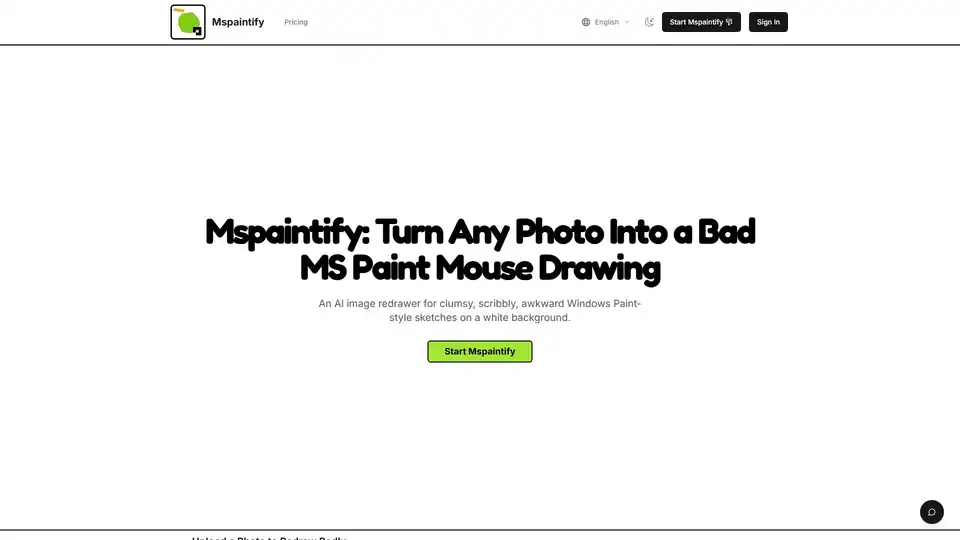
Overview of Mspaintify
What is Mspaintify?
Mspaintify is a unique AI-powered image generation tool designed to do something quite uncommon in the world of artificial intelligence: make images look worse, intentionally. While most AI tools strive for hyper-realism, high definition, and polished aesthetics, Mspaintify embraces the aesthetic of the "bad drawing." It functions as an AI Bad MS Paint Drawing Generator, transforming clear, high-quality reference photos into clumsy, scribbly, awkward sketches that mimic the style of drawings made with a mouse in the classic Windows MS Paint application.
This tool is not about enhancing quality; it is about capturing a specific vibe—low-effort, humorous, and vaguely recognizable. It serves creators, meme makers, and anyone looking to add a touch of intentional imperfection to their visual content. The core promise of Mspaintify is to redraw any uploaded image as a clumsy MS Paint mouse sketch on a plain white background, keeping the subject loosely recognizable but deliberately flawed in proportions and detail.
Key Features of Mspaintify
Mspaintify stands out due to its specialized focus on "anti-quality" art generation. Here are the primary features that define the user experience:
1. Clumsy Mouse-Drawn Style
The output is engineered to look like it was drawn by a human using a computer mouse in an old version of Paint. This means uneven strokes, simple fills, shaky edges, and a distinct lack of polished illustration finish. The AI understands the assignment: do not make it look good. Make it look like someone tried their best but lacked the motor skills or patience.
2. Vaguely Similar, Intentionally Off
One of the hardest things for an AI to do is to be "almost right but wrong." Mspaintify achieves this by keeping the subject recognizable enough that viewers know what it is, but ensuring the redraw lands slightly wrong in proportions, detail, and confidence. This uncanny valley of bad art is where the humor lies.
3. White Background by Default
To maintain the authentic MS Paint feel, the style works best as a simple white-background sketch. This matches the original prompt structure and makes the bad drawing easy to reuse in various contexts without needing additional editing to remove complex backgrounds.
4. Fast Meme-Ready Output
Speed is essential for internet culture. Mspaintify allows users to generate a rough redraw in seconds. This is crucial when you need a visual joke, a reply image for social media, or an intentionally low-quality asset for a presentation that requires a specific "draft" look.
5. Flexible Output Ratios
Users can choose square, landscape, or vertical framing (1:1, 16:9, 9:16, 4:3, 3:4). Regardless of the ratio, the sketch stays white-background, rough, and mouse-drawn. This flexibility ensures the tool fits different social media platforms, from Instagram stories to Twitter headers.
6. PNG Downloads
The final exports are static PNG images. This format is universally compatible for posts, chats, stickers, avatars, decks, and quick design mockups. There are no watermarks mentioned on the paid plans, ensuring clean usage.
How Does Mspaintify Work?
The workflow is designed for simplicity, requiring no technical knowledge of AI models or image editing software.
- Upload a Photo: Users drop in a clear reference image. The system supports PNG, JPG, and WebP formats up to 24MB. The clearer the original, the funnier the contrast with the bad redraw.
- Pick Output Ratio: Choose the framing that suits your needs. Whether it is a square profile picture or a landscape banner, the AI adapts the clumsy drawing style to fit.
- Generate: The AI processes the image based on the core prompt: "Redraw the attached image in the most clumsy, scribbly, and utterly pathetic way possible. Use a white background, and make it look like it was drawn in MS Paint with a mouse."
- Download: Once generated, the image can be downloaded immediately for use.
Use Cases and Scenarios
Why would someone want a bad drawing? The applications are surprisingly versatile within digital culture:
- Meme Creation: The primary use case. A serious photo turned into a bad drawing instantly becomes a meme template. It signals irony and low-effort humor.
- Reaction Images: Use the bad redraw as a visual punchline in chats. It conveys a sense of "I tried, but I didn't really try."
- Avatar and Profile Pictures: For users who want anonymity or a quirky aesthetic, these awkward sketches make great avatars.
- Sticker Drafts: The white background makes these images perfect candidates for conversion into digital stickers.
- Intentionally Low-Effort Social Graphics: In a world of polished influencer content, a bad MS Paint drawing stands out by being authentically rough.
- Design Mockups: Sometimes designers need a placeholder that looks like a client's rough sketch. Mspaintify can generate this instantly.
Pricing and Plans
Mspaintify operates on a credit-based system, offering both pay-as-you-go credits and subscription plans. Every plan unlocks the same bad MS Paint redraw engine, ensuring quality consistency across tiers.
- Mspaintify Starter: Priced at approximately $6.93/month (with annual discount), this plan is for casual bad redraws. It includes around 2,950 credits per month, allowing for roughly 118 redraws. It features a monthly refresh.
- Mspaintify Plus: At approximately $13.93/month, this is the best value for regular meme makers. It includes 6,500 credits per month, equating to about 260 redraws. This tier is designed for users who need a steady stream of content.
- Mspaintify Pro: Priced at approximately $34.93/month, this plan is for teams producing lots of intentionally bad redraws. It offers 18,000 credits per month, allowing for around 720 redraws. This is ideal for social media managers or content agencies.
There is also a Free First Run option, allowing users to try the style before paying. You can upload one image to see whether the awkward Paint look fits your needs before committing to a subscription.
FAQ About Mspaintify
How does Mspaintify work? It uses AI image-to-image translation models fine-tuned on a dataset of low-quality mouse drawings to replicate the style of MS Paint.
Is Mspaintify free to try? Yes, there is a free first run option to test the functionality.
Can I use the results commercially? Users should check the specific terms of their subscription plan, but generally, paid plans allow for broader usage rights compared to free trials.
What images work best? Clear reference images with distinct subjects work best. Complex scenes might become too abstract, while simple portraits highlight the "bad drawing" effect effectively.
Does Mspaintify save my photos? Privacy policies typically govern data retention, but users should assume uploaded images are processed on the server.
Is this a pixel art generator? No. While both are retro styles, pixel art is structured and grid-based. Mspaintify focuses on vector-like mouse strokes that are shaky and imprecise, not pixelated.
Why Choose Mspaintify?
In a marketplace saturated with tools that make everything look better, Mspaintify carves out a niche by making things look authentically worse. It is a specialized tool for a specific cultural moment where irony and low-fidelity aesthetics are highly valued. Whether you are a meme lord, a social media manager looking for engaging content, or just someone who wants to see their pet look like it was drawn by a toddler with a mouse, Mspaintify delivers consistent, humorous results.
The combination of ease of use, specific style control, and flexible pricing makes it a go-to resource for "bad art" generation. It proves that in the age of AI, perfection is optional, and sometimes, imperfection is the goal.
Tags Related to Mspaintify
