
Nexa SDK
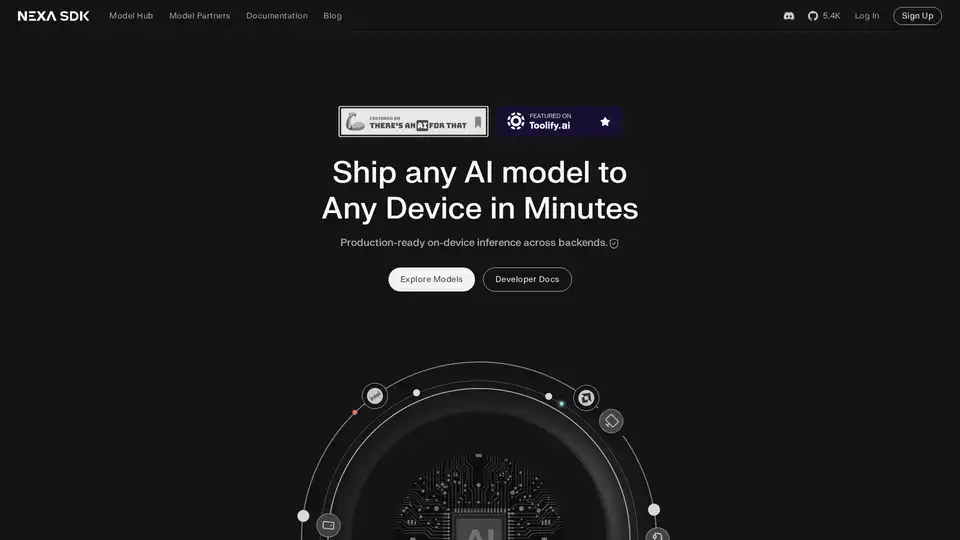
Overview of Nexa SDK
Nexa SDK: Deploy AI Models to Any Device in Minutes
Nexa SDK is a software development kit designed to streamline the deployment of AI models across various devices, including mobile phones, PCs, automotive systems, and IoT devices. It focuses on providing fast, private, and production-ready on-device inference across different backends such as NPU (Neural Processing Unit), GPU (Graphics Processing Unit), and CPU (Central Processing Unit).
What is Nexa SDK?
Nexa SDK is a tool that simplifies the complex process of deploying AI models to edge devices. It allows developers to run sophisticated models, including Large Language Models (LLMs), multimodal models, Automatic Speech Recognition (ASR), and Text-to-Speech (TTS) models, directly on the device, ensuring both speed and privacy.
How does Nexa SDK work?
Nexa SDK operates by providing developers with the necessary tools and infrastructure to convert, optimize, and deploy AI models to various hardware platforms. It leverages technologies like NexaQuant to compress models without significant accuracy loss, enabling them to run efficiently on devices with limited resources.
The SDK includes features such as:
- Model Hub: Access to a variety of pre-trained and optimized AI models.
- Nexa CLI: A command-line interface for testing models and rapid prototyping using a local OpenAI-compatible API.
- Deployment SDK: Tools for integrating models into applications on different operating systems like Windows, macOS, Linux, Android, and iOS.
Key Features and Benefits
- Cross-Platform Compatibility: Deploy AI models on various devices and operating systems.
- Optimized Performance: Achieve faster and more energy-efficient AI inference on NPUs.
- Model Compression: Shrink models without sacrificing accuracy using NexaQuant technology.
- Privacy: Run AI models on-device, ensuring user data remains private.
- Ease of Use: Deploy models in just a few lines of code.
SOTA On Device AI Models
Nexa SDK supports various state-of-the-art (SOTA) AI models that are optimized for on-device inference. These models cover a range of applications, including:
- Large Language Models:
- Llama3.2-3B-NPU-Turbo
- Llama3.2-3B-Intel-NPU
- Llama3.2-1B-Intel-NPU
- Llama-3.1-8B-Intel-NPU
- Granite-4-Micro
- Multimodal Models:
- Qwen3-VL-8B-Thinking
- Qwen3-VL-8B-Instruct
- Qwen3-VL-4B-Thinking
- Qwen3-VL-4B-Instruct
- Gemma3n-E4B
- OmniNeural-4B
- Automatic Speech Recognition (ASR):
- parakeet-v3-ane
- parakeet-v3-npu
- Text-to-Image Generation:
- SDXL-turbo
- SDXL-Base
- Prefect-illustrious-XL-v2.0p
- Object Detection:
- YOLOv12‑N
- Other Models:
- Jina-reranker-v2
- DeepSeek-R1-Distill-Qwen-7B-Intel-NPU
- embeddinggemma-300m-npu
- DeepSeek-R1-Distill-Qwen-1.5B-Intel-NPU
- phi4-mini-npu-turbo
- phi3.5-mini-npu
- Qwen3-4B-Instruct-2507
- PaddleOCR v4
- Qwen3-4B-Thinking-2507
- Jan-v1-4B
- Qwen3-4B
- LFM2-1.2B
NexaQuant: Model Compression Technology
NexaQuant is a proprietary compression method developed by Nexa AI that allows frontier models to fit into mobile/edge RAM while maintaining full-precision accuracy. This technology is crucial for deploying large AI models on resource-constrained devices, enabling lighter apps with lower memory usage.
Who is Nexa SDK for?
Nexa SDK is ideal for:
- AI Developers: Who want to deploy their models on a wide range of devices.
- Mobile App Developers: Who want to integrate AI features into their applications without compromising performance or privacy.
- Automotive Engineers: Who want to develop advanced AI-powered in-car experiences.
- IoT Device Manufacturers: Who want to enable intelligent features on their devices.
How to get started with Nexa SDK?
- Download the Nexa CLI from GitHub.
- Deploy the SDK and integrate it into your apps on Windows, macOS, Linux, Android & iOS.
- Start building with the available models and tools.
By using Nexa SDK, developers can bring advanced AI capabilities to a wide range of devices, enabling new and innovative applications. Whether it's running large language models on a smartphone or enabling real-time object detection on an IoT device, Nexa SDK provides the tools and infrastructure to make it possible.
AI Programming Assistant Auto Code Completion AI Code Review and Optimization AI Low-Code and No-Code Development
Best Alternative Tools to "Nexa SDK"
Enable efficient LLM inference with llama.cpp, a C/C++ library optimized for diverse hardware, supporting quantization, CUDA, and GGUF models. Ideal for local and cloud deployment.
Qualcomm AI Hub is a platform for on-device AI, offering optimized AI models and tools for deploying and validating performance on Qualcomm devices. It supports various runtimes and provides an ecosystem for end-to-end ML solutions.
Mirai is an on-device AI platform enabling developers to deploy high-performance AI directly within their apps with zero latency, full data privacy, and no inference costs. It offers a fast inference engine and smart routing for optimized performance.
Falcon LLM is an open-source generative large language model family from TII, featuring models like Falcon 3, Falcon-H1, and Falcon Arabic for multilingual, multimodal AI applications that run efficiently on everyday devices.