
NotebookLM Watermark Remover
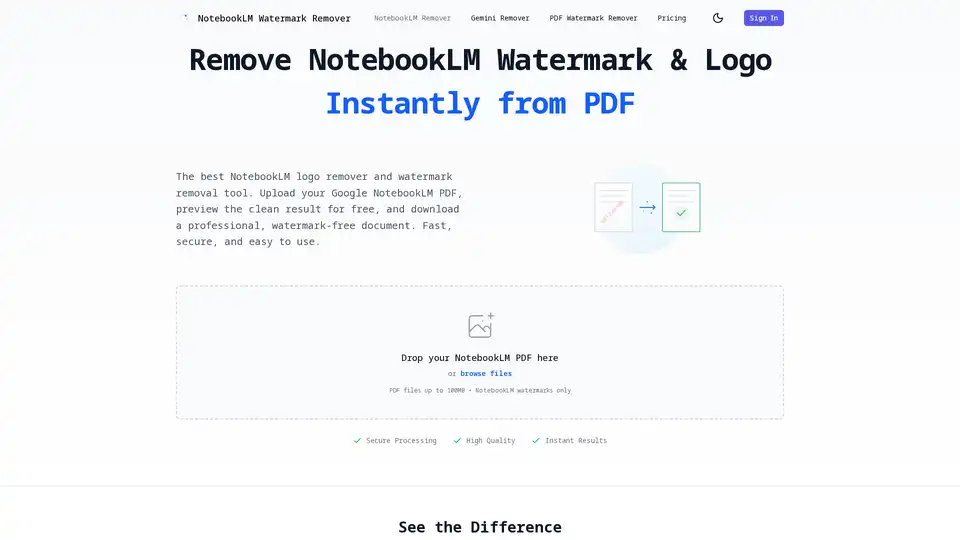
Overview of NotebookLM Watermark Remover
What is NotebookLM Watermark Remover?
NotebookLM Watermark Remover is a specialized, AI-powered web tool designed exclusively to remove Google NotebookLM watermarks and logos from PDF documents. Unlike generic watermark removal utilities, this tool is finely tuned to understand the specific placement, format, and visual characteristics of NotebookLM's "Created with NotebookLM" text and logo. It offers a seamless, secure, and high-quality solution for professionals, students, and researchers who need to present or distribute their NotebookLM-generated content without brand identifiers. The tool operates entirely online, requiring no software installation, and provides instant previews before download.
Core Features and Technology
The effectiveness of the NotebookLM Watermark Remover lies in its sophisticated, AI-driven workflow and its specialized focus:
Advanced AI-Powered Detection and Removal
At its core, the tool utilizes advanced computer vision and inpainting algorithms. This is not a simple pixel erasure or blurring tool. Instead, the AI intelligently scans each page of the uploaded PDF, identifying the precise location of the NotebookLM watermark. The inpainting technology then analyzes the surrounding visual context—textures, colors, and patterns—and reconstructs the area underneath the watermark to blend perfectly with the rest of the document. This ensures that the removal is completely invisible, leaving no trace of the original mark, which is a critical requirement for professional documents.
Specialized for Google NotebookLM
The primary differentiator is its dedicated focus. The AI models are trained specifically on the visual data of NotebookLM outputs. This specialization means it handles variations in watermark positioning (header, footer, corner) and opacity flawlessly. It reliably works across all pages of a multi-page PDF, ensuring consistent, clean results throughout the entire document, unlike generalist tools that might miss marks or distort the background.
Quality Preservation and Security
The tool guarantees the highest fidelity output. It preserves 100% of the original document's quality, including text formatting, fonts, images, tables, charts, and layout structure. The only visible change is the removal of the watermark. From a security perspective, the process is entirely confidential: all PDF files are encrypted during upload and processing. According to the service, files are automatically deleted from their servers within 24 hours, ensuring user privacy and data protection. The tool also boasts instant processing, delivering results in seconds rather than minutes.
How Does It Work? The Workflow
Using the NotebookLM Watermark Remover is designed to be intuitive and requires no technical expertise. The process is streamlined into three clear steps:
- Upload Your PDF: Users simply drag and drop their NotebookLM PDF file onto the web interface or click to browse for the file. The tool accepts standard PDF formats up to 100MB in size.
- Preview Results: Immediately after upload, the AI processes the document and presents a side-by-side or slider view. This allows the user to compare the original PDF (with the watermark) against the cleaned version (without the watermark) directly in the browser before committing to a download. This free preview feature is a significant value, eliminating uncertainty.
- Download Clean PDF: Satisfied with the preview, the user proceeds to download the final, watermark-free PDF. The download process may involve a credit system (e.g., 5 credits per PDF download), indicating a freemium or pay-per-use model.
Primary Use Cases and Target Audience
The tool is versatile, catering to a diverse range of users who leverage Google NotebookLM for content creation but need polished final outputs:
- Students and Educators: For creating clean study guides, assignments, and lecture materials without distracting branding.
- Business Professionals and Consultants: Essential for preparing client-facing reports, proposals, and presentations where corporate branding and professionalism are paramount. Removing a third-party AI tool's watermark maintains the document's perceived authority.
- Content Creators and Researchers: Ideal for writers, journalists, and academics preparing manuscripts, articles, or white papers for publication. A clean document is often a submission requirement.
- Legal and Compliance Teams: Professionals can use it to prepare official documents, ensuring they meet strict formatting and branding standards required for legal submissions or internal reviews.
Practical Value and Why Choose It?
The primary value proposition is professionalism and presentation. A document bearing the "Created with NotebookLM" watermark, while functional for internal use, may be perceived as incomplete or unprofessional for external sharing. This tool bridges that gap efficiently.
Key benefits include:
- Time Efficiency: Instant AI processing is faster than manual editing in software like Adobe Acrobat.
- Ease of Use: The three-step, browser-based process requires no learning curve.
- Cost-Effective: For users who don't need full-fledged PDF editing suites for constant watermark removal, this specialized tool offers a targeted solution.
- Guaranteed Accuracy: Its specialized nature minimizes the risk of damaging the document, which is a common issue with generic tools.
In summary, the NotebookLM Watermark Remover is not just a generic utility but a targeted solution that leverages AI to solve a specific pain point for a rapidly growing user base of NotebookLM. It ensures that the quality of your content shines without the distraction of tool branding, maintaining the integrity and professional appearance of your documents.
Best Alternative Tools to "NotebookLM Watermark Remover"

Tags Related to NotebookLM Watermark Remover