
OpenMusic AI
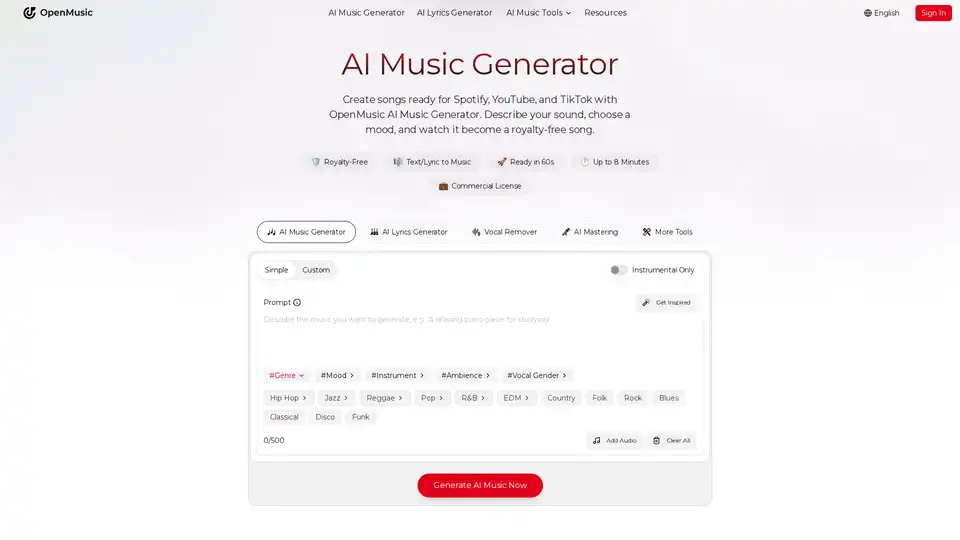
Overview of OpenMusic AI
What is OpenMusic AI?
OpenMusic AI is an advanced, all-in-one AI music generator designed to democratize music creation. It allows users to transform simple text prompts or existing lyrics into fully produced, studio-quality songs. Whether you are a content creator, an indie artist, or a game developer, this platform provides the tools to generate royalty-free music instantly without needing expensive studios or extensive musical theory knowledge.
Key Features of OpenMusic AI
OpenMusic AI offers a comprehensive suite of tools that go beyond simple track generation:
- AI Text/Lyric to Music: Describe your sound, choose a mood (e.g., Hip Hop, Jazz, Pop), and the AI Music Generator creates a complete song with vocals, melody, and harmonies in under 60 seconds.
- Vocal and Stem Manipulation: Utilize the AI Vocal Remover and AI Stem Splitter to separate tracks into acapellas and instrumentals. This is perfect for remixing, karaoke, or sampling.
- Production and Mastering: The platform includes AI Music Mastering to balance levels and enhance clarity, ensuring your track sounds professional and is ready for release on Spotify or YouTube.
- Singing Voice Generation: Use the AI Singing Voice Generator to create vocals or train custom voice models for unique song covers.
- MIDI and Audio Editing: Features like the AI MIDI Editor and Audio to MIDI conversion allow for deep customization and remixing of existing audio files.
- Utility Tools: Additional tools include a BPM Tapper, Key & BPM Finder, Lofi Converter, and AI Photo to Music Generator for visual-inspired audio creation.
How Does OpenMusic AI Work?
The workflow is designed for simplicity and efficiency:
- Input: Users provide a text prompt describing the desired genre, mood, and instrumentation, or paste their own lyrics.
- Generation: The AI analyzes the input and processes it through its neural network to generate melodies and beats.
- Refinement: Users can utilize tools like the AI Lyrics Generator to refine text or adjust the track's structure.
- Post-Production: Apply AI Mastering and split stems using the AI Stem Splitter for professional polish.
- Export: Download the final track. Every song generated is 100% royalty-free and includes a commercial license.
Who is OpenMusic AI For?
- Content Creators & YouTubers: Generate background music that avoids copyright strikes. The AI Music Video Generator allows for quick visual accompaniment.
- Indie Artists & Producers: Quickly draft demos, experiment with new sounds, or create instrumental backing tracks for songwriting.
- Game Developers: Create dynamic soundtracks and score music that fits specific game vibes without hiring a composer.
- Podcasters: Easily remove vocals from tracks to create intros/outros or generate royalty-free background audio.
- Marketing Teams: Produce custom audio for ads and social media campaigns (TikTok, Instagram) rapidly.
Why Choose OpenMusic AI?
The primary value proposition of OpenMusic AI is the combination of speed, quality, and commercial readiness. Unlike many other tools that require complex prompts or result in low-fidelity audio, OpenMusic AI focuses on "studio-quality" output. Furthermore, the platform ensures that every generated track is cleared for commercial use, providing "proof and protection" for creators. The "All-in-One" nature of the toolkit means users don't need to switch between different apps for generation, editing, and mastering, streamlining the entire music production workflow from idea to release.
Tags Related to OpenMusic AI
