
POKY
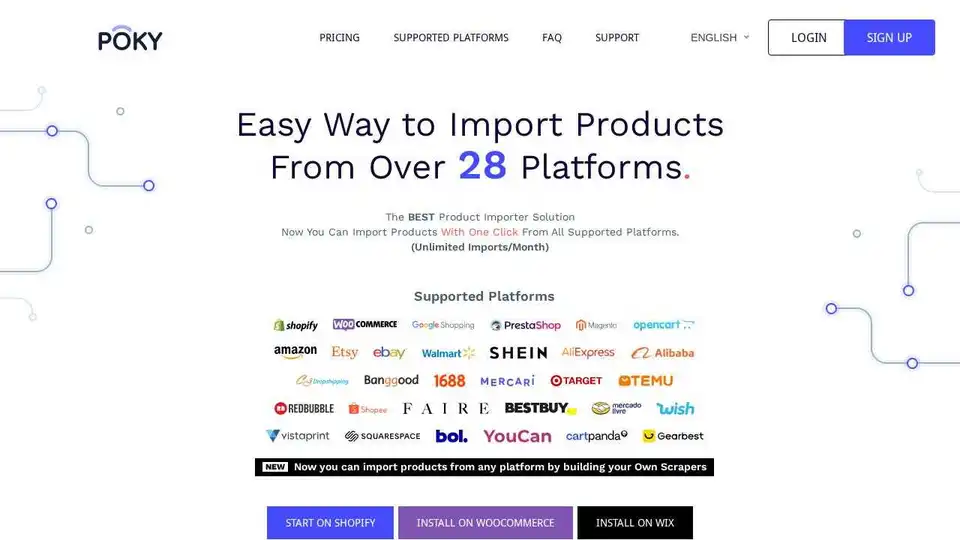
Overview of POKY
What is POKY?
POKY is a powerful product importer tool designed to streamline the process of importing products from various e-commerce platforms to your Shopify, WooCommerce, and Wix stores. With POKY, you can import products from over 28 platforms, including Shopify, WooCommerce, Amazon, eBay, Etsy, Shein, Temu, Google Shopping, Target, AliExpress, and Mercardolive, with just one click.
Key Features of POKY
Import Unlimited Products
With POKY, you can import unlimited products from any Shopify store with just one click. Simply load the products and select the ones you want to import. Additionally, you can export them as CSV for further use.
POKY Chrome Extension
The POKY Chrome extension allows you to import, edit, and find suppliers for products from all supported platforms. Simply visit the product you want to import and click on Edit/Import. You can also use the extension to find suppliers on AliExpress.
Build Your Own Scraper
POKY allows you to create your own scraper for any store or platform that is not yet supported. This feature enables you to start importing products from all platforms with complete details, including the title, description, prices, images, and variants.
Enhance and Translate with ChatGPT
Easily enhance and translate your product information with ChatGPT. You can customize the enhancement prompt to match your specific needs, giving you full control over the tone and style of your product details.
Find Suppliers Feature
Use this feature to find suppliers for the products that you have imported using POKY and for all the products on your store. Additionally, you can use the POKY Chrome extension to find suppliers using images.
How Does POKY Work?
POKY simplifies the process of importing products by providing a user-friendly interface and powerful tools. Here’s how you can use POKY:
- Install POKY: Install the POKY Chrome extension or use the web application.
- Select Products: Visit the product you want to import and click on Edit/Import.
- Customize Details: Enhance and translate product details using ChatGPT.
- Import Products: Import the products to your Shopify, WooCommerce, or Wix store with one click.
Why Choose POKY?
Time-Saving
POKY significantly reduces the time required to import products. Tasks that typically take 1 hour to create new products can now be accomplished in just a few minutes.
Cost-Effective
POKY offers a 2-day free trial, followed by a subscription plan of $2.95 per month. This affordable pricing makes it accessible to businesses of all sizes.
Comprehensive Support
POKY provides premium support to ensure that you have a smooth experience. You can contact their support team at next@poky.app for any questions or issues.
Who is POKY For?
POKY is ideal for e-commerce businesses, dropshippers, and online retailers who want to streamline their product import process. It is particularly useful for those who manage multiple stores and need a efficient way to import products from various platforms.
Best Way to Import Products
POKY offers the best way to import products from multiple platforms with ease. Its user-friendly interface, powerful features, and affordable pricing make it a top choice for e-commerce businesses.
Conclusion
POKY is a comprehensive product importer tool that simplifies the process of importing products from various e-commerce platforms. With its powerful features, user-friendly interface, and affordable pricing, POKY is an excellent choice for businesses looking to streamline their product import process.
Tags Related to POKY
