
PseudoEditor
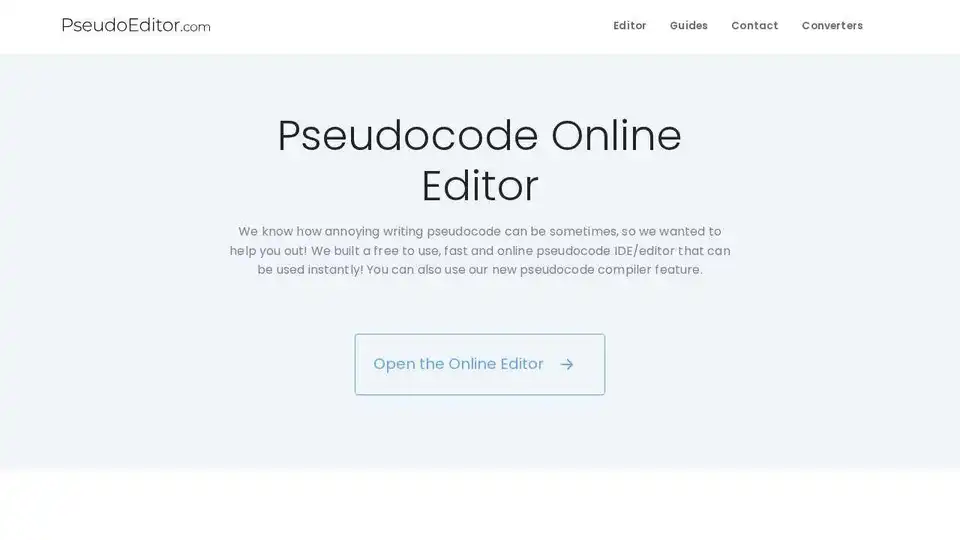
Overview of PseudoEditor
What is PseudoEditor?
PseudoEditor is a free online pseudocode editor and compiler designed to simplify the process of writing and debugging pseudocode. It is the first and only online pseudocode IDE that supports all pseudocode variations and styles, making it an essential tool for students, educators, and developers who need to create and test algorithms efficiently.
Key Features of PseudoEditor
1. Syntax Highlighting
PseudoEditor includes dynamic syntax highlighting for keywords, functions, data types, conditionals, and more. This feature helps users write and debug pseudocode faster by visually distinguishing different elements of the code.
2. Code Saving
With PseudoEditor, users can write pseudocode online, save their work, and resume editing from any device at any time. This ensures that no line of code is ever lost, providing a seamless coding experience.
3. Pseudocode Compiler
The advanced pseudocode compiler allows users to write, test, and verify their pseudocode with just one click. This ensures that the pseudocode works as intended, saving time and reducing errors.
4. Error Highlighting
PseudoEditor highlights errors in the pseudocode, making it easier for users to identify and fix issues quickly. This feature is particularly useful for beginners who are still learning the intricacies of pseudocode.
5. Faster Coding Environment
The wide range of tools and features in PseudoEditor create a smooth and efficient coding environment. Users can write pseudocode up to 5 times faster than in traditional programs like Notepad.
How Does PseudoEditor Work?
PseudoEditor is designed to be user-friendly and accessible. Users can open the online editor directly in their browser without any installation or setup. The editor provides a clean and intuitive interface where users can start writing pseudocode immediately. The syntax highlighting and autocomplete features assist in writing code more efficiently, while the compiler ensures that the pseudocode is correct and functional.
How to Use PseudoEditor?
- Open the Online Editor: Navigate to the PseudoEditor website and open the online editor.
- Write Pseudocode: Start writing your pseudocode in the editor. Use the syntax highlighting and autocomplete features to speed up the process.
- Save Your Code: Save your pseudocode to ensure you can resume editing later from any device.
- Compile and Test: Use the pseudocode compiler to test your code and ensure it works as intended.
- Debug and Refine: Use the error highlighting feature to identify and fix any issues in your pseudocode.
Why Choose PseudoEditor?
PseudoEditor is the first and only online pseudocode editor and compiler, making it a unique and valuable tool for anyone working with pseudocode. Its features are designed to enhance productivity and reduce the time spent on writing and debugging pseudocode. The ability to save code and resume editing from any device adds to its convenience and usability.
Who is PseudoEditor For?
PseudoEditor is ideal for:
- Students: Who need to write and test pseudocode for their coursework and projects.
- Educators: Who want to teach pseudocode and algorithm design in a more interactive and efficient way.
- Developers: Who use pseudocode to plan and design algorithms before implementing them in actual programming languages.
Best Way to Write Pseudocode
PseudoEditor provides the best way to write pseudocode by offering a comprehensive set of tools and features that streamline the process. The syntax highlighting, autocomplete, and error highlighting features ensure that users can write pseudocode quickly and accurately. The ability to save and resume work from any device makes it a versatile tool for both personal and professional use.
Statistics and User Base
PseudoEditor has a growing user base with thousands of daily users and over 5,000 registered users. More than 10,000 projects have been saved using the platform, demonstrating its popularity and effectiveness in the field of pseudocode editing and compilation.
Frequently Asked Questions
What does the editor include?
The editor includes syntax highlighting, autocomplete, code saving, and a pseudocode compiler. It supports all pseudocode variations and styles.
Do I have to pay to use this?
No, PseudoEditor is completely free to use. There are no hidden charges or subscription fees.
Why did you make this?
PseudoEditor was created to address the lack of online pseudocode editors and compilers. The developers wanted to provide a free and accessible tool for writing and testing pseudocode.
Is this a pseudocode generator?
No, PseudoEditor is not a pseudocode generator. It is an editor and compiler that helps users write and test their own pseudocode.
Conclusion
PseudoEditor is a revolutionary tool for anyone working with pseudocode. Its unique features and user-friendly interface make it an essential resource for students, educators, and developers. By providing a free and accessible platform for writing and testing pseudocode, PseudoEditor is setting a new standard in the field of algorithm design and development.
Tags Related to PseudoEditor
