
PyGPT
4
717
0
Type:
Open Source Projects
Last Updated:
2025/11/06
Description:
PyGPT is a free, open-source desktop AI assistant for Windows, macOS, and Linux. It offers chat, vision, agents, image generation, voice control, and more, powered by models like GPT-5, GPT-4, Google Gemini, and others.
desktop AI assistant
open-source AI
local AI
GPT-5 assistant
AI automation
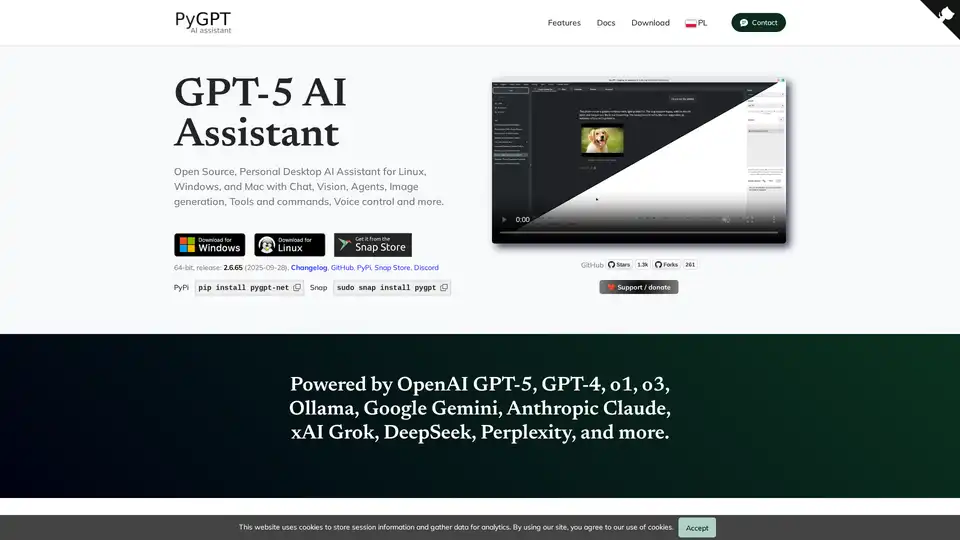
Overview of PyGPT
PyGPT: Your Open-Source Desktop AI Assistant
What is PyGPT? PyGPT is a free and open-source desktop AI assistant that brings the power of large language models (LLMs) to your Windows, macOS, or Linux computer. Functioning similarly to ChatGPT but running locally, PyGPT offers a wide array of features for diverse applications.
Key Features and Functionality
- Multiple Modes of Operation:
- Chat: Engage in natural language conversations.
- Chat with Files: Utilize local files as context for conversations.
- Vision: Analyze images and camera captures.
- Agents: Automate complex and autonomous tasks.
- Audio: Interact using voice commands.
- Research: Conduct in-depth explorations using Perplexity and OpenAI's advanced research models.
- Computer Use: Execute system commands and interact with your computer.
- Broad Model Support: PyGPT supports a wide range of models, including:
- OpenAI: GPT-5, GPT-4, DALL-E 3, and more
- Non-OpenAI: Google Gemini, Anthropic Claude, xAI Grok, Perplexity Sonar, DeepSeek, Mistral AI
- Models accessible through LlamaIndex and Ollama (DeepSeek, gpt-oss, Llama 3, Mistral, Bielik, etc.)
- File and Data Integration: Chat with various data types (txt, pdf, csv, html, md, docx, json, epub, xlsx, xml, webpages, Google, GitHub, video/audio, images) using integrated LlamaIndex support.
- Contextual Understanding: PyGPT maintains both short-term and long-term memory of conversations, allowing for more coherent and relevant interactions.
- Internet Access: Access the internet via Google, Microsoft Bing, and DuckDuckGo for up-to-date information.
- Speech Capabilities: Utilize speech synthesis via Microsoft Azure, Google, Eleven Labs, and OpenAI Text-To-Speech services, and speech recognition via OpenAI Whisper, Google, and Microsoft Speech Recognition.
- Tools and Commands: Execute system and custom commands via plugins, accessing the local filesystem, Python Code Interpreter, and more.
- Image and Video Generation: Generate images and videos using DALL-E, Imagen, and Veo.
How to Use PyGPT
- Installation: Choose your preferred installation method:
- PyPi:
pip install pygpt-net - Snap:
sudo snap install pygpt - GitHub: Download the source code and follow the instructions.
- PyPi:
- API Key: Provide your own API key for the AI models you intend to use.
- Configuration: Customize PyGPT to your liking with various settings and themes.
- Interaction: Start chatting, using files, generating images, or exploring other features.
Why Choose PyGPT?
- Open Source and Free: PyGPT is free to use and its source code is available on GitHub.
- Privacy and Control: Because it runs locally, you have more control over your data and privacy.
- Extensibility: Plugins and custom commands allow you to tailor PyGPT to your specific needs.
- Accessibility: Built-in support features like customizable keyboard shortcuts and voice control enhance accessibility for users with disabilities.
Who is PyGPT for?
PyGPT is suitable for:
- Developers: Utilize the Python Code Interpreter and system command execution for coding and automation tasks.
- Researchers: Leverage the Research mode with Perplexity and OpenAI's advanced research models for in-depth exploration.
- Writers and Content Creators: Generate text, analyze images, and create multimedia content.
- Anyone Seeking a Powerful AI Assistant: Enjoy the benefits of a ChatGPT-like experience on your desktop with added privacy and customization.
Additional Features
- Real-time code syntax highlighting.
- Plugins support for extended functionality.
- Built-in token usage calculation.
- Integrated calendar and notepad.
- Simple painter/drawing tool.
PyGPT offers a robust and versatile AI assistant experience on your desktop, empowering you to accomplish a wide range of tasks with the help of AI.
Tags Related to PyGPT
