Quicktools by Picsart: Free Online Image Editing Tools

Quicktools by Picsart
3.5 | 326 | 0
Type:
Website
Last Updated:
2025/10/08
Description:
Quicktools by Picsart offers a comprehensive suite of free online image tools to enhance and transform your photos. Edit, resize, convert, and more!
Share:
online image editor
image resizer
image compressor
image converter
photo editor

Overview of Quicktools by Picsart

Quicktools by Picsart: Your Go-To for Free Online Image Editing

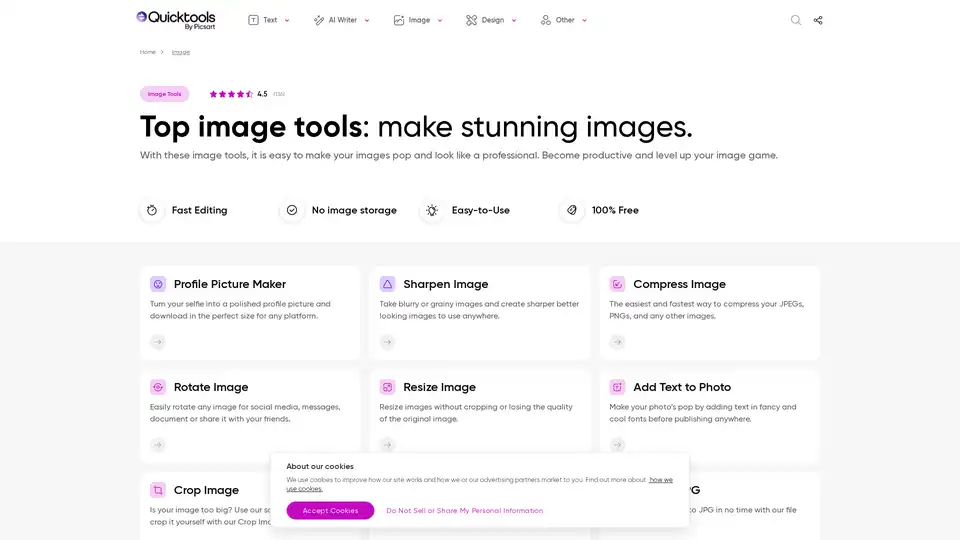
What is Quicktools by Picsart? Quicktools by Picsart is a collection of free online image tools designed to help you quickly and easily enhance your images. Whether you need to resize, compress, convert, or add text to your photos, Quicktools offers a user-friendly solution without requiring any sign-up or installation.

Key Features:

  • Profile Picture Maker: Create polished profile pictures perfectly sized for any platform.
  • Sharpen Image: Enhance blurry or grainy images for a sharper, more professional look.
  • Compress Image: Reduce the file size of your JPEGs, PNGs, and other images quickly and easily.
  • Resize Image: Resize images without cropping or losing quality.
  • Add Text to Photo: Add text to your photos using various fonts to make them pop.
  • Crop Image: Crop images using social media presets or custom dimensions.
  • PNG to SVG: Convert PNG images to SVG format.
  • HEIC to JPG: Convert HEIC photos to JPG format.
  • JPG to PNG: Convert JPG images to PNG format.
  • PNG to JPG: Convert PNG images to JPG format.
  • Color Palette from Image: Generate a color palette from any uploaded image.
  • SVG to PNG: Convert SVG images to PNG format.
  • Image Mirror: Mirror images for creative designs or social media feeds.

How does Quicktools by Picsart work?

Quicktools simplifies image editing with an intuitive interface and fast processing. To use any of the tools, simply upload your image, apply the desired adjustments, and download the modified version. For example, to resize an image, upload it to the Resize Image tool, enter the new dimensions, and download the resized image.

Why choose Quicktools by Picsart?

  • Accessibility: Quicktools is easily accessible from any device with an internet connection.
  • Cost-Effective: It's 100% free to use, eliminating the need for expensive software or licenses.
  • User-Friendly: The tools are designed to be modern-looking and easy to use, even for beginners.
  • Up-to-Date: As part of Picsart, Quicktools is continuously updated with the latest features and improvements.

Who is Quicktools by Picsart for?

Quicktools is ideal for:

  • Social media users who need to quickly edit profile pictures or create engaging content.
  • Professionals who require fast image resizing and compression for web use.
  • Anyone looking for simple and free image editing solutions without the need for complex software.

How to use Quicktools by Picsart?

  1. Go to the Quicktools by Picsart website.
  2. Select the tool you want to use (e.g., Resize Image, Compress Image).
  3. Upload your image.
  4. Make the desired adjustments.
  5. Download the modified image.

Practical Examples:

  • Resizing an image: Use the Resize Image tool to reduce the size of a large image for faster loading on your website.
  • Compressing an image: Use the Compress Image tool to reduce the file size of a photo before sharing it on social media.
  • Converting an image: Use the PNG to JPG tool to convert a PNG image to JPG format for better compatibility.

Best way to enhance your images?

The best way to enhance your images with Quicktools is to experiment with different tools and features. Start with basic adjustments like resizing and sharpening, then explore more advanced options like adding text and creating color palettes. With its ease of use and comprehensive features, Quicktools by Picsart is the perfect solution for all your image editing needs. Remember to explore other tools and products that Picsart offers for even more creative possibilities.

Best Alternative Tools to "Quicktools by Picsart"

EasyPic
No Image Available
196 0

EasyPic is an AI-powered photo toolbox for generating titles and keywords, resizing, converting formats, adding watermarks, creating PDFs, and more. Ideal for photographers, content creators, and businesses.

AI photo editor
image optimization
WebUtility.io
No Image Available
224 0

WebUtility.io is an all-in-one online toolkit providing free and easy-to-use tools for developers, designers, and content creators. Features include code beautifiers, minifiers, converters, and generators.

code beautifier
online tools
ImageTools Hub
No Image Available
223 0

ImageTools Hub offers a suite of free, no-login-required, and privacy-friendly bulk image editing tools. Streamline workflows with features like background removal, resizing, compression, and more.

bulk image editing
image upscaling
HitPaw
No Image Available
523 0

HitPaw offers AI-powered video, photo & audio enhancer solutions. Instantly transform blurry videos and photos into brilliant quality with AI. Trusted by millions of creators.

AI video enhancement
EchoWave
No Image Available
471 0

EchoWave is an online video editor that simplifies creating engaging videos with audio visualizers, subtitles, and effects. Ideal for podcasters, musicians, and content creators to repurpose audio and enhance video content for social media.

video editor
audio visualizer
VideoProc Converter AI
No Image Available
201 0

VideoProc Converter AI is a one-stop AI media processing solution for video/image/audio enhancement, converting, editing, compressing, downloading, and recording with GPU acceleration. Supports 4K/8K videos, DVDs, and online media.

AI video enhancement
video editing
PhotoKit
No Image Available
234 0

PhotoKit is a free AI-powered online photo editor offering tools for image enhancement, background removal, retouching, and more. Edit your photos easily with its intuitive interface.

AI photo editing
background removal
LightX
No Image Available
416 0

LightX offers an AI photo editor & image generator where AI meets creativity. Create stunning visuals with AI tools for photos, videos, and designs.

photo editor
video editor
AiPassportPhotos
No Image Available
514 0

Create compliant passport and visa photos in seconds with AiPassportPhotos. AI-powered tool automatically resizes and formats your image to meet official requirements. Save time and money!

passport photo
visa photo
AutoCropper
No Image Available
356 0

AutoCropper is an AI-powered online tool for batch cropping scanned photos into individual images. Effortlessly split and digitize your photo collection with fast, secure, and high-quality processing. Free and cross-platform.

photo cropping
image splitting
BeautyPlus
No Image Available
590 0

BeautyPlus is a FREE AI photo & video editor with AI filters, image enhancer, background remover, and more. Perfect your photos and videos with powerful AI tools.

photo editor
AI filters
Clipdrop
No Image Available
326 0

Clipdrop AI: Create stunning visuals in seconds. Remove background, cleanup pictures, upscale, and more with powerful AI image editing tools.

AI image editor
background remover
TheToolBus.ai
No Image Available
444 0

Discover TheToolBus.ai: Free online tools for PDFs, images, calculators, converters, and marketing. AI-powered features like image to text and background removal. No signup, fast, and efficient for everyday tasks.

image background removal
PhotoGov
No Image Available
472 0

Create government-compliant passport photos in seconds with PhotoGov's AI passport photo maker. Upload, crop, and download printable sheets for passports, visas, and IDs.

passport photo
visa photo
ID photo
