
Superinbox
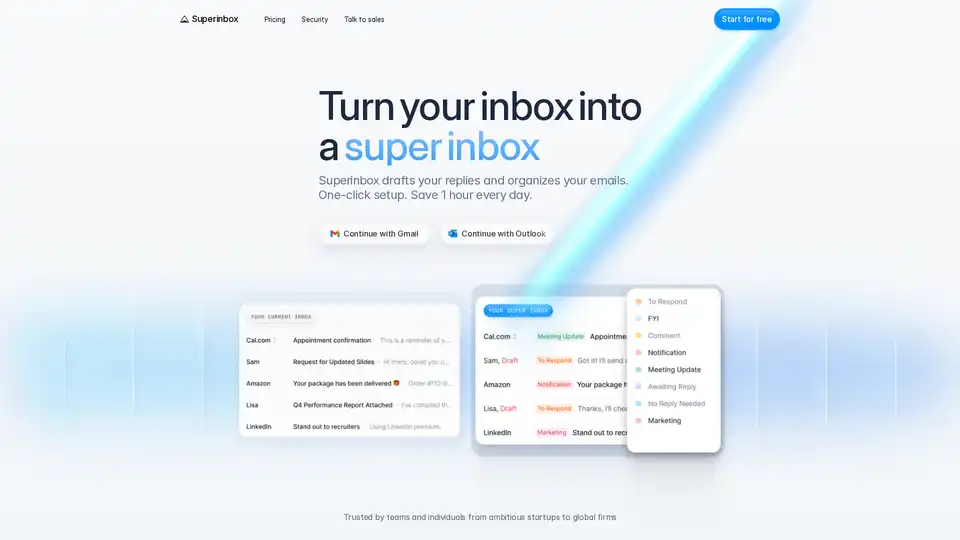
Overview of Superinbox
What is Superinbox?
Superinbox is an AI-powered email assistant designed to streamline your email management by drafting replies in your unique writing style. It seamlessly integrates with Gmail and Outlook, allowing you to save over 2 hours daily without learning a new interface.
Key Features of Superinbox
- Context-Aware Drafting: Superinbox leverages your email history and uploaded documents to craft coherent and contextually relevant drafts.
- Your Voice: The AI adapts to each conversation, matching the exact tone you would use with every recipient.
- Calendar Integration: It pulls your free slots into drafts, eliminating the need for back-and-forth scheduling.
- Automatic Categorization: Each email is automatically sorted into the right category, keeping your inbox perfectly ordered.
- Custom Rules: Use existing or new categories and write simple prompts to organize your incoming emails automatically.
How Does Superinbox Work?
Superinbox works by analyzing your email history and uploaded documents to understand your writing style and tone. It then uses this information to draft replies that sound like you. The AI also integrates with your calendar to include your free slots in drafts, making scheduling easier. Additionally, it categorizes your emails automatically, keeping your inbox organized.
How to Use Superinbox?
- Sign Up: Start by signing up with your Gmail or Outlook account.
- Integration: Superinbox integrates directly with your email client, so there's no need to install anything or change your email client.
- Drafting: The AI will start drafting replies in your writing style, ready for you to send.
- Categorization: Your emails will be automatically sorted into the right categories.
Why Choose Superinbox?
- Time-Saving: Save over 2 hours daily by automating email drafting and organization.
- Seamless Integration: Works inside Gmail and Outlook without requiring a new interface.
- Security: Superinbox is enterprise-safe and secure, with CASA Tier 2 certification and partnerships with Google and Microsoft.
- Data Privacy: Emails are analyzed in real-time and never stored, ensuring your data remains private.
Who is Superinbox For?
Superinbox is ideal for professionals, teams, and individuals who want to streamline their email management and save time. It is particularly useful for those who receive a high volume of emails and need to respond quickly and efficiently.
Best Way to Manage Your Inbox
Superinbox offers a one-click setup and is trusted by teams and individuals from ambitious startups to global firms. It is backed by several reputable organizations and has received positive feedback from users like Claire, CEO of Nao labs, who says, "I can't imagine my emails without it anymore."
FAQ
How does Superinbox work with Gmail and Outlook?
Superinbox integrates directly with Gmail and Outlook, allowing it to draft replies and organize emails within your existing email client.
Do I need to install anything or change my email client?
No, Superinbox works inside your existing email client, so there's no need to install anything or change your email client.
How does Superinbox learn my writing style and tone?
Superinbox analyzes your email history and uploaded documents to understand your writing style and tone, ensuring that the drafts it creates sound like you.
Is my data safe with Superinbox?
Yes, Superinbox is enterprise-safe and secure. It is CASA Tier 2 certified and has partnerships with Google and Microsoft. Emails are analyzed in real-time and never stored, ensuring your data remains private.
Conclusion
Superinbox is a powerful AI email assistant that can significantly improve your email management by drafting replies in your writing style, integrating with your calendar, and automatically categorizing your emails. It is secure, easy to use, and can save you over 2 hours daily.
Tags Related to Superinbox
