
Wan 2.6
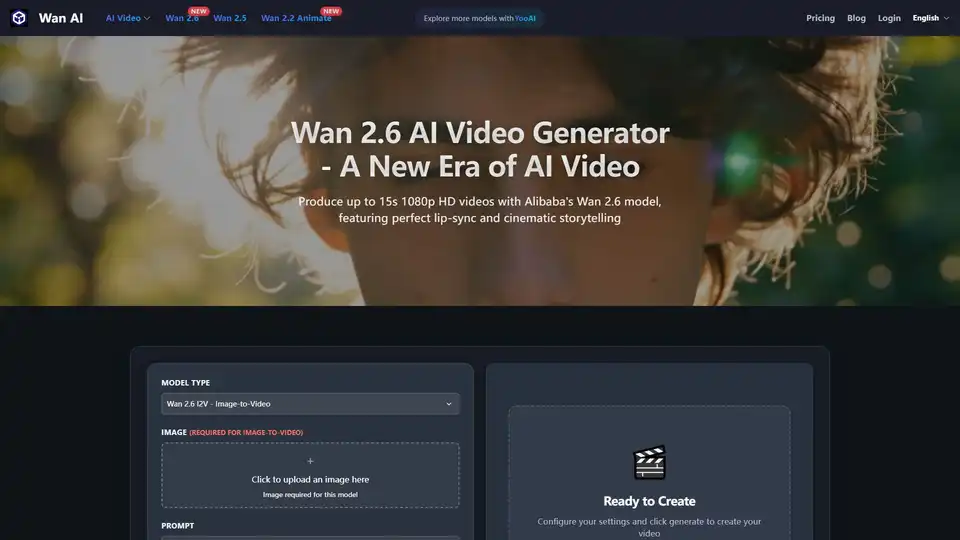
Overview of Wan 2.6
What is Wan 2.6 AI Video Generator?
Wan 2.6 is Alibaba's flagship video generation model, representing the pinnacle of current AI video technology. Hosted on the wan-ai.tech platform, this tool allows users to produce high-quality, cinematic videos up to 15 seconds long in 1080p HD resolution. Unlike previous iterations, Wan 2.6 introduces revolutionary features such as native lip-sync synchronization, multi-shot storytelling capabilities, and enhanced physical understanding, making it a professional-ready solution for creators, marketers, and filmmakers.
Core Models & Functionality
Wan 2.6 operates through two primary model types, catering to different creative needs:
Wan 2.6 T2V (Text-to-Video)
This model transforms text descriptions into cinematic video clips. It possesses powerful semantic understanding, allowing it to accurately render complex scenes, lighting atmospheres, and camera movements based solely on written prompts. Users can generate up to 15 seconds of high-definition video directly from text.
Wan 2.6 I2V (Image-to-Video)
This model brings static images to life. By uploading a single image, Wan 2.6 transforms it into a vivid video clip. Key capabilities include:
- Lip-Sync Animation: Make characters in photos speak by uploading an audio file.
- Dynamic Environments: Add weather effects or motion to landscapes.
- Consistency: Achieves perfect consistency between the source image and the generated motion.
Key Upgrades: Why Choose Wan 2.6?
Wan 2.6 offers significant improvements over previous versions like Wan 2.5 and Wan 2.2. Here are the standout features:
- 🎤 Perfect Lip-Sync: Native support for audio-driven lip synchronization. Characters (real or virtual) speak with accurate mouth movements and natural expressions when an audio file is provided.
- 🎥 Cinematic 1080p Quality: Native 1080p generation ensures rich details and exquisite lighting, looking sharp even on large screens.
- 🎬 Multi-Shot Storytelling: Breaks single-shot limitations to generate complex narrative sequences with camera cuts, maintaining high character and environment consistency.
- ⏱️ 15s Long Video Generation: A significant duration boost allows for complete actions and richer storytelling in a single take.
- 🧠 Enhanced Physical Understanding: Deeper understanding of real-world physics ensures fluid fabric, collision dynamics, and motion obey physical laws, reducing "AI hallucinations".
Typical Use Cases
Wan 2.6 is versatile and suits various industries:
- Filmmaking & Pre-visualization: Rapidly generate storyboards or even production-quality VFX shots without expensive equipment.
- Social Media & Creators: One-click generation of narrative videos with speaking characters, drastically reducing shooting costs.
- Digital Marketing: Create photorealistic product demos and brand commercials that are impossible to shoot traditionally.
- Education & Training: Generate virtual instructors for engaging, interactive learning content.
- E-commerce: Animate static product images to showcase details from multiple angles.
How to Use Wan 2.6
Using the tool is straightforward via the web interface:
- Select Model: Choose between Wan 2.6 T2V (Text-to-Video) or I2V (Image-to-Video).
- Input Content:
- For T2V: Enter a detailed text prompt.
- For I2V: Upload an image (required) and optionally an audio file for lip-sync.
- Configure Settings: Adjust video resolution (720p, 1080p, 480p), duration (5s, 10s, 15s), and seed settings.
- Generate: Click the generate button to create your video.
Prompting Tips
To get the best results, follow this prompt formula for Text-to-Video:
- Subject: Describe the main character or object.
- Action: Specify what is happening.
- Environment: Set the scene and lighting.
- Camera: Define camera movement and style.
Example: "A cyberpunk detective, wearing a neon trench coat, walking slowly through the rain, looking around suspiciously, futuristic city street at night, wet ground reflecting neon lights, Slow dolly in, cinematic lighting, shallow depth of field."
FAQ
Q: How long can videos be? A: Wan 2.6 supports up to 15 seconds of HD video per generation.
Q: How do I use Lip-Sync? A: In Image-to-Video mode, upload a portrait image and an audio file (wav/mp3, 3-30s). The model automatically drives the mouth movements.
Q: What's the main difference from Wan 2.5? A: Wan 2.6 offers 1080p resolution, 15s duration, Lip-Sync, and significantly better physics adherence.
Conclusion
Wan 2.6 stands out as a powerful tool in the AI video generation landscape. With its ability to create long-duration, high-resolution videos with synchronized audio, it bridges the gap between simple AI clips and professional content creation. Whether you are a marketer looking to create ads or a filmmaker storyboarding scenes, Wan 2.6 provides the technology to bring your vision to life efficiently.
Tags Related to Wan 2.6
