
SlidesOrator
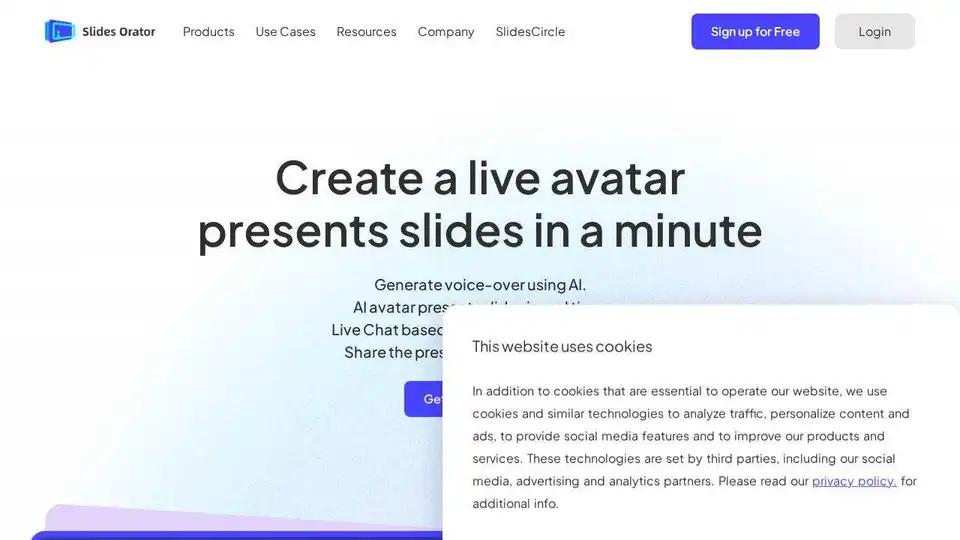
Overview of SlidesOrator
The era of static, one-way presentations is rapidly fading. In today's dynamic digital landscape, capturing and maintaining an audience's attention requires more than just well-designed slides. Enter SlidesOrator, an innovative AI-powered platform designed to revolutionize how we present information. By transforming conventional PDF slides into engaging, interactive 3D avatar-led presentations, SlidesOrator empowers educators, corporate trainers, and sales professionals to deliver impactful messages that truly resonate with their audience.
What is SlidesOrator?
SlidesOrator is a cutting-edge AI presentation assistant that breathes life into your existing slide decks. It doesn't create your slides from scratch; instead, it acts as a digital co-presenter, leveraging advanced AI and 3D avatar technology to deliver dynamic, personalized, and interactive presentations. Imagine your slides being presented by a lifelike virtual host who can narrate content, answer questions in real time, and even proactively engage your audience. That's the core promise of SlidesOrator: to make your presentations more lively, memorable, and effective.
Key Features of SlidesOrator: Enhancing Every Aspect of Your Presentation
SlidesOrator is packed with a suite of features meticulously designed to elevate audience engagement and streamline the presentation process:
- AI Avatar Presentation: Beyond simple voiceovers, SlidesOrator employs realistic 3D avatars that visually present your slides. These virtual hosts can deliver your content with a human-like presence, fostering a stronger connection with the audience and making the presentation feel more personal and dynamic.
- AI-Generated Narration: Say goodbye to monotonous readings or the need for professional voice artists. SlidesOrator automatically generates natural-sounding voiceovers for your slides, ensuring consistent delivery, tone, and pacing across your entire presentation. This feature significantly saves time and resources while maintaining high-quality audio.
- Real-Time Q&A: This groundbreaking feature allows your audience to interrupt the presentation at any point to ask questions. SlidesOrator's AI agent can understand and respond to queries instantly, providing immediate clarification and fostering a truly interactive dialogue. This capability is invaluable for addressing doubts on the spot and ensuring deeper understanding.
- Proactive Questioning: To further stimulate engagement and ensure comprehension, the AI presenter can pose questions to the audience throughout the presentation. This is particularly effective in educational and training settings, encouraging active participation and knowledge retention.
- Document Summary: For lengthy or complex slides, SlidesOrator can provide concise, AI-generated summaries. This helps audience members quickly grasp key takeaways and reinforces learning points without getting bogged down in details.
- Mini Quiz: Embed short, interactive quizzes directly into your presentations. These quick checks can serve as formative assessments, break up content, and gauge audience understanding in a fun, engaging way.
- Question Collection: All audience questions and interactions are meticulously collected by the platform. This data provides presenters with valuable feedback, helping them understand common points of confusion or areas of high interest.
- AI Analysis: Going beyond simple collection, SlidesOrator anonymously analyzes the Q&A data to generate insightful reports. These reports can highlight trends, identify knowledge gaps, and offer actionable intelligence for improving future presentations and content strategies.
How Does SlidesOrator Work? A Seamless Creation Process
Creating an interactive AI avatar presentation with SlidesOrator is remarkably straightforward, requiring just three easy steps:
- Upload Your PDF Slides: Begin by uploading your existing presentation in PDF format to the SlidesOrator platform. This allows you to leverage your current content without needing to recreate it.
- Generate AI Narration: SlidesOrator's AI then analyzes your slide content and automatically generates a suitable narration. You can often review and refine this narration to perfectly match your desired message and tone.
- Choose a Presenter Avatar: Select from a range of diverse 3D avatars to be your virtual presenter. This personalization adds a visual appeal and helps establish a consistent brand or persona for your presentations.
Once these steps are complete, your AI-powered presentation is ready. You can play it directly in your browser and share it effortlessly with others using a simple, shareable link, making distribution incredibly convenient.
Why Choose SlidesOrator? Unlocking Unparalleled Value
In a crowded market of presentation tools, SlidesOrator stands out by offering distinct advantages that deliver significant value:
- Unmatched Engagement: Transform passive viewing into active participation. The combination of a virtual presenter, AI narration, and real-time Q&A keeps audiences captivated and encourages deeper interaction, leading to better comprehension and retention.
- Consistency and Scalability: Ensure a uniform message and high-quality delivery across all your presentations, regardless of who is "presenting" or where it's being shown. This is particularly beneficial for large organizations needing to train global teams or deliver consistent product information.
- Time and Cost Efficiency: Drastically reduce the time and resources typically spent on recording voiceovers, hiring presenters, or coordinating schedules. SlidesOrator automates much of the creation process, allowing you to focus on content quality.
- Data-Driven Insights: The AI analysis of Q&A data provides invaluable feedback, allowing you to understand your audience better, identify areas for improvement, and continually refine your content for maximum impact. This feedback loop is crucial for iterative improvement.
- Global Reach and Accessibility: While the platform automatically handles narration, the implied ability to translate and adapt to multiple languages (as seen in user testimonials from various countries) makes it an incredibly powerful tool for international communication, breaking down language barriers and fostering inclusivity.
Who Is SlidesOrator For? Diverse Applications Across Industries
SlidesOrator's versatility makes it an indispensable tool for a wide range of professionals and sectors:
- AI-Powered Education: Educators, from high school teachers to university professors, can leverage SlidesOrator to create more dynamic and interactive learning experiences. As Giovanni Rossi, an Italian high school teacher, noted, using AI avatars to explain PowerPoint presentations helps students focus, while interactive features make subjects like science vivid. Professor Luca Bianchi found it invaluable for bringing historical artworks to life with 3D object interaction, allowing students to virtually examine details. In regions with uneven educational resources, like India, tools like SlidesOrator, as highlighted by Raj Kumar, can help bridge the gap by providing quality educational content at a reduced cost.
- Corporate Training: Businesses seeking to deliver consistent, engaging, and scalable training sessions will find SlidesOrator invaluable. Emily Johnson and Mr. Jeff Daniels from the United States praised its ability to maintain uniform communication standards across global branches and save significant time and resources. The interactive nature ensures employees remain engaged, leading to higher knowledge retention and more effective skill development, whether for onboarding, product training, or compliance.
- Product Demos: Sales and marketing teams can transform their product demonstrations. Instead of static presentations, a smart, talking avatar can showcase products, answer customer questions on the spot, and even adapt to different languages, as experienced by Xie Hua from China. This greatly increases client engagement and allows for a deeper, more personalized understanding of the product's features and benefits, which is critical for converting prospects into customers.
The Technology Behind SlidesOrator: Innovation at Its Core
SlidesOrator is built upon a foundation of cutting-edge AI and graphics technologies, ensuring a seamless and powerful user experience:
- ALUI (Avatar LLM User Interface): The core philosophy of SlidesOrator is rooted in the belief that as AI intelligence becomes more human-like, our interaction with it will also evolve to be more human-centric. ALUI represents this future, where AI avatars serve as an intuitive and primary interface for interacting with large language models (LLMs), making complex AI capabilities accessible and user-friendly.
- 3D Avatar Technology: The choice of 3D avatar technology is strategic. It enables real-time, interactive communication at a significantly lower cost compared to traditional video production. This ensures that dynamic, human-like interaction can be deployed broadly – across slides, websites, and any interactive touchpoint – without incurring prohibitive maintenance expenses.
- WebGL2 Integration: SlidesOrator adopts a game engine for its development, leveraging WebGL2 for robust performance. This technology better supports seamless slide playback, fluid real-time interaction, and rich multimodal content presentation (combining text, visuals, and audio). Furthermore, WebGL2 facilitates convenient sharing of these advanced presentations across various web platforms.
- End-to-end AI Avatar System: The platform offers an end-to-end interaction method, supporting both text-to-speech and speech-to-speech capabilities. This comprehensive system is designed for immediate usability, allowing users to start creating without needing to worry about complex technical details or integration challenges.
Voices from Users: Real-World Impact of SlidesOrator
User testimonials from around the globe highlight SlidesOrator's transformative impact:
- Enhanced Engagement & Learning: Nguyễn Văn (Vietnam) noted its innovative, interactive features creating a more intuitive learning environment. Hannah Taylor (UK) appreciated the platform integrating tools into one, allowing for personalized 3D virtual lecturers and instant student interaction. Raj Kumar (India) praised its ability to reduce costs and improve teaching efficiency, helping to bridge educational resource gaps. Ms. Grace Santos (Philippines) found its interactive features made her legal lectures more dynamic and engaging.
- Streamlined Business & Global Communication: Xie Hua (China) found it powerful for product demos, significantly increasing customer engagement and facilitating multi-language communication with global partners. Maria Santos (Philippines) and Emily Johnson (US) both highlighted its effectiveness in creating vivid, interactive training courses and maintaining consistent, high-quality training experiences for global customers and employees, saving substantial time and resources. Mr. Jeff Daniels (US) emphasized its role in uniform communication across global branches and fostering transparency and inclusivity through real-time Q&A.
- Innovative & Practical: Tian Wei (China) described it as a highly practical product, praising its digital avatar modeling algorithm and personalized teaching content. Ms. Priya Gupta (India), running a startup, found the digital human modeling algorithm instrumental in creating engaging investor presentations and gaining insights from audience chat records.
These diverse perspectives underscore SlidesOrator's proven ability to address critical communication and educational challenges in a truly innovative way.
Best Practices for Maximizing SlidesOrator's Potential
To get the most out of SlidesOrator and ensure your presentations are impactful, consider these tips:
- Optimize Your Slides: Keep your PDF slides concise and visually appealing. The AI works best with clear, well-structured content.
- Strategic Interaction: Don't just add Q&A; think about when and how to prompt interaction. Use quizzes and proactive questions to reinforce key points or address potential confusion.
- Leverage Analytics: Regularly review the AI analysis of Q&A data. This feedback is invaluable for refining your content and improving future presentation strategies.
- Customize Your Avatar: Choose an avatar that aligns with your message, brand, or the context of your presentation to enhance relatability and professionalism.
- Promote Engagement: Encourage your audience to utilize the real-time Q&A feature. Explain its benefits at the start of your presentation to foster a truly interactive environment.
Conclusion
SlidesOrator is more than just a presentation tool; it's a paradigm shift in how we engage with information. By merging advanced AI with immersive 3D avatar technology, it transforms passive slide decks into dynamic, interactive, and insightful experiences. Whether you're an educator striving for more engaging lessons, a corporate trainer aiming for consistent global delivery, or a sales professional looking to captivate clients, SlidesOrator offers a powerful, efficient, and innovative solution. Embrace the future of presentations and bring your slides to life with SlidesOrator. Ready to create an unforgettable presentation? Sign up for free today and experience the difference.
Tags Related to SlidesOrator
