
Calendly
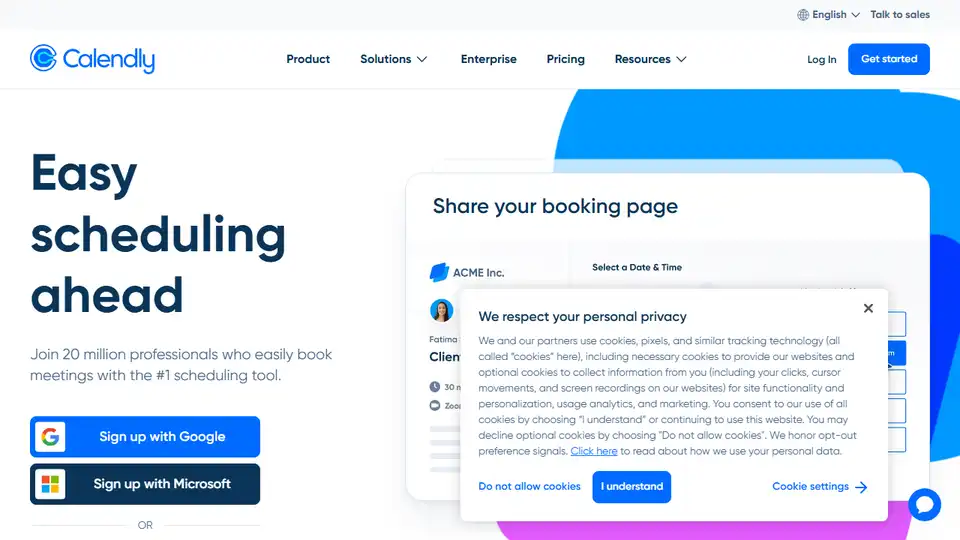
Overview of Calendly
Calendly: Streamline Your Scheduling Process
What is Calendly? Calendly is a leading scheduling automation platform designed to simplify the process of booking meetings and appointments. It eliminates the back-and-forth emails and phone calls, offering a seamless experience for both the scheduler and the invitee.
How does Calendly work? Calendly allows users to share their availability with others, who can then select a convenient time slot directly from the user's scheduling page. This automated system integrates with popular calendar applications like Google Calendar, Outlook, and others, ensuring that schedules are always up-to-date and conflicts are avoided.
Key Features and Benefits
- Easy Scheduling:
- Share your scheduling link directly with invitees or embed it on your website.
- Allow invitees to select available time slots without the need for manual coordination.
- Calendar Integration:
- Connect with Google Calendar, Microsoft Outlook, and other popular calendar apps.
- Automatic updates ensure no double-bookings and real-time availability.
- Automated Workflows:
- Send automated reminders, follow-up emails, and SMS messages to reduce no-shows.
- Customize workflows to fit your specific scheduling needs.
- Customizable Event Types:
- Create different event types with varying durations and availability.
- Tailor each event type to match specific meeting requirements.
- Integrations:
- Connect Calendly to 100+ tools, including Google Suite, Microsoft Suite, Salesforce, Zoom, and more.
- Enhance productivity by automating tasks and streamlining workflows.
- Reporting & Analytics:
- Track key metrics, such as the number of meetings scheduled and attendance rates.
- Gain insights into scheduling patterns to optimize your availability.
- Mobile Apps:
- Manage your schedule on the go with iOS and Android mobile apps.
- Stay connected and never miss an important meeting.
Use Cases
- Sales:
- Enable prospects to easily book demos or consultations.
- Automate follow-up communications to nurture leads and close deals.
- Customer Success:
- Schedule check-in meetings with customers to ensure satisfaction.
- Proactively address issues and provide support.
- Recruiting:
- Streamline the interview scheduling process for candidates.
- Reduce time-to-hire by automating interview coordination.
- Education:
- Allow students to schedule office hours or tutoring sessions.
- Simplify the process of booking parent-teacher conferences.
Pricing Plans
Calendly offers a range of pricing plans to suit different needs:
- Free:
- Ideal for personal use, offering basic scheduling features.
- Standard:
- Designed for professionals and small teams, with additional customization options.
- Priced at $10/seat/month (billed yearly).
- Teams:
- Recommended for growing businesses, offering advanced features and integrations.
- Priced at $16/seat/month (billed yearly).
- Enterprise:
- Tailored for large companies, with enterprise-grade security and support.
- Starts at $15k/year.
Security and Compliance
Calendly prioritizes security, offering enterprise-grade admin management, security integrations, data governance, compliance audits, and privacy protections.
How to get started?
Getting started with Calendly is easy:
- Sign up for free:
- Create an account on the Calendly website.
- Connect your calendars:
- Integrate your existing Google Calendar, Outlook, or other supported calendar app.
- Add your availability:
- Define your available time slots for different event types.
- Share your scheduling link:
- Send your link to invitees or embed it on your website or email.
Why is Calendly Important?
Calendly is important because it streamlines the scheduling process, reduces administrative overhead, and improves overall productivity. By automating meeting coordination, it frees up time for more important tasks and ensures that no opportunities are missed.
Where can I use Calendly?
You can use Calendly in various scenarios:
- Client meetings:
- Schedule meetings with clients, partners, or prospects.
- Team meetings:
- Coordinate internal team meetings and project updates.
- Interviews:
- Arrange job interviews with candidates.
- Consultations:
- Book consultation sessions with experts or consultants.
Calendly is more than just a scheduling tool; it’s a productivity powerhouse that helps individuals and businesses alike manage their time more efficiently. With its intuitive interface, powerful features, and seamless integrations, Calendly makes scheduling simple and effective.
In conclusion, Calendly simplifies meeting scheduling through automation, integration with major calendar platforms, and customizable features that enhance productivity for individuals and businesses. Its ease of use and robust functionality make it an essential tool for anyone looking to optimize their scheduling process.
AI Task and Project Management AI Document Summarization and Reading AI Smart Search AI Data Analysis Automated Workflow
Best Alternative Tools to "Calendly"
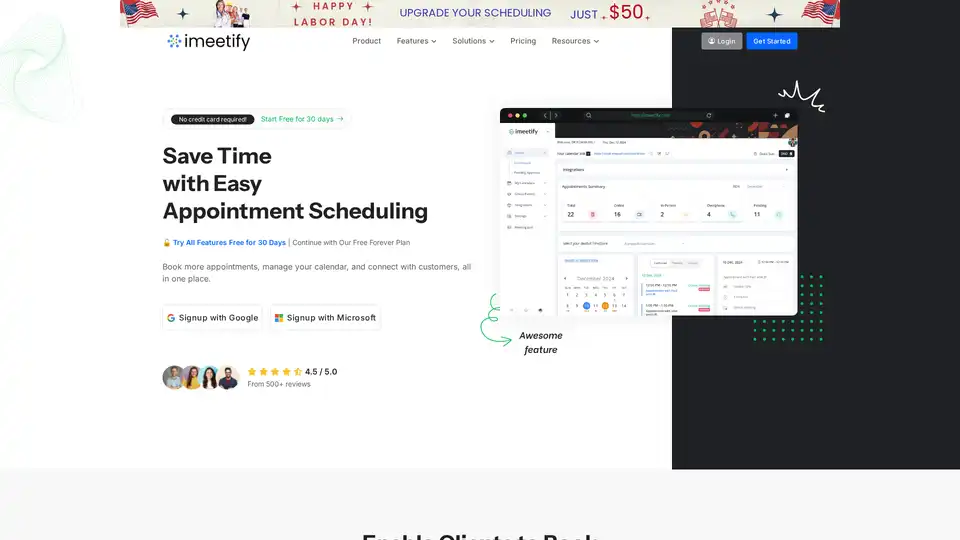
Simplify appointments with iMeetify, the free scheduling software. Automate bookings, manage calendars, and enhance client interactions effortlessly. Try it free for 30 days!
MyTask AI is a browser extension that uses artificial intelligence to automatically create Google Calendar events through natural language commands, saving users time and enhancing productivity.

MyMeet.io is an AI-powered meeting platform designed to streamline scheduling, hosting virtual meetings, and generating AI summaries. Ideal for professionals and enterprises looking to optimize time and client interactions.

Retime is a free online appointment scheduling software that redefines your routine for meetings. Seamlessly manage your schedule, integrate with Google Calendar, Zoho, and Office365. Try it free!