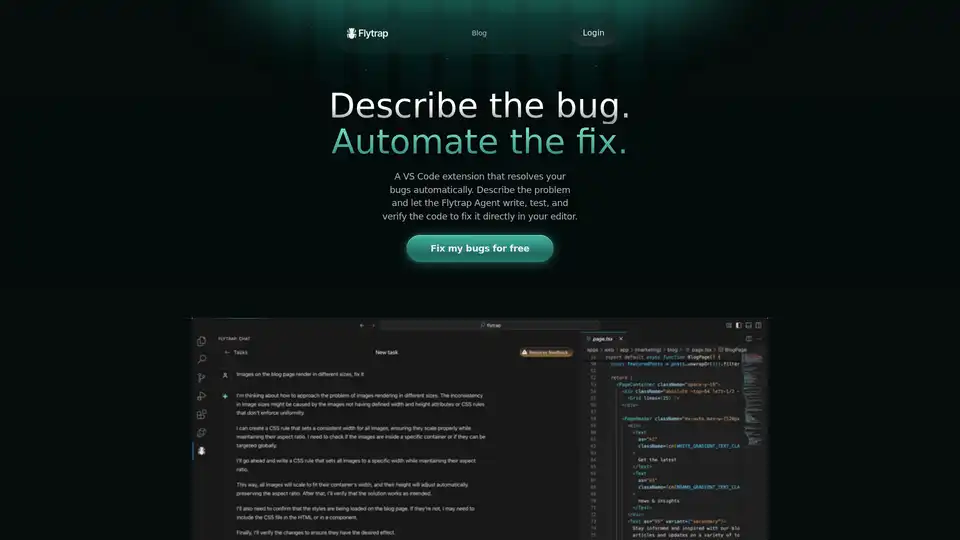
Flytrap: AI-Powered Bug Fixer for JavaScript & TypeScript

Flytrap

4 | 268 | 0
Type:
Extension Plugin
Last Updated:
2025/10/20
Description:
Flytrap is a VS Code extension that uses AI to automatically fix bugs in your JavaScript & TypeScript code. Describe the bug, and Flytrap Agent will write, test, and verify the code directly in your editor.
Share:
VS Code extension
AI bug fix
JavaScript
TypeScript
code debugging

Overview of Flytrap

Flytrap: The AI-Powered VS Code Extension that Fixes Your Bugs Automatically

What if you could describe a bug in your code and have it automatically fixed? Flytrap is a VS Code extension that leverages AI to do just that. Designed for Node.js, JavaScript, and TypeScript codebases, Flytrap aims to automate the tedious process of bug fixing, allowing developers to focus on more creative and meaningful tasks.

What is Flytrap?

Flytrap is a VS Code extension that uses an AI agent to resolve bugs automatically. You describe the problem, and the Flytrap Agent writes, tests, and verifies the code to fix it directly in your editor.

How Does Flytrap Work?

Flytrap operates by utilizing an AI agent that has access to your project's filesystem and shell. Here's a breakdown of how it works:

  1. Describe the Bug: You provide a natural-language description of the bug within VS Code.
  2. Automated Fix: Flytrap creates a mirrored version of your repository to safely test potential fixes without disturbing your current workflow.
  3. AI Agent in Action: The AI agent writes, tests, and verifies code to address the described bug.
  4. Verification and Approval: Flytrap verifies the code by running and testing it. Once a solution is found and verified, it's presented to you for review.
  5. Merge Solution: You review the complete solution and, if satisfied, merge it into your project.

Key Features of Flytrap

  • End-to-End Task Completion: Flytrap completes tasks from start to finish. You describe the bug, and Flytrap works in the background while you focus on other tasks.
  • Effective AI: Flytrap has access to the same tools as you, which allows it to complete tasks that are difficult for other AI models. It also runs your programs to ensure that everything works as expected.
  • Verification: Flytrap verifies that the code works by running and testing it. Once ready, you get a complete solution to review and merge into your project.

Why Choose Flytrap?

  • Saves Time: Automates the process of bug fixing, freeing up your time for more important tasks.
  • Increases Productivity: By handling bug fixes in the background, Flytrap allows you to continue working undisturbed.
  • Ensures Quality: Verifies the code works by running and testing it, ensuring that the solution is effective.
  • Maintains Control: Presents the fix for your review, giving you full control over what changes are implemented in your codebase.

Who is Flytrap for?

Flytrap is ideal for developers who:

  • Work with Node.js, JavaScript, or TypeScript codebases.
  • Want to automate the process of bug fixing.
  • Want to save time and increase productivity.
  • Value quality and control over their codebase.

How to Use Flytrap

Using Flytrap is straightforward:

  1. Install the Flytrap VS Code extension.
  2. Describe the bug in natural language within VS Code.
  3. Let Flytrap work in the background to find and verify a solution.
  4. Review the solution and merge it into your project.

Get Started with Flytrap

Ready to automate your bug fixing process? Download the Flytrap VS Code extension and start fixing bugs for free. Focus on what matters most and let Flytrap handle the bugs.

Best Alternative Tools to "Flytrap"

Multiplayer
No Image Available
164 0

Multiplayer captures full-stack session recordings for efficient debugging, testing, and AI workflows. It allows you to record user actions, logs, and annotations, improving team collaboration.

session recording
AI debugging
Latta
No Image Available
288 0

Latta AI debugs code by replaying bugs reported by users and suggesting fixes. It integrates with VS Code, Visual Studio, and Jetbrains. Used by programmers, testers, and project managers.

AI debugging
code repair
bug fix
Unfold AI
No Image Available
525 0

UnfoldAI is an AI coding assistant offering real-time bug and error solutions for developers within their IDEs, boosting productivity and saving time.

AI coding
debugging
code generation
Learnitive Notepad
No Image Available
385 0

Learnitive Notepad is an AI-powered all-in-one note-taking app for creating Markdown notes, codes, photos, webpages, and more. Boost productivity with 50GB storage, unlimited AI assistance, and cross-device support.

AI note-taking
Markdown editor
Continue
No Image Available
508 0

Continue is an open-source continuous AI platform that helps developers build and run custom AI code agents across their IDE, terminal, and CI for faster software development.

AI coding
code generation
Theia IDE
No Image Available
160 0

Theia IDE is an AI-native, open-source IDE for cloud and desktop development. Built on the Theia Platform, it offers transparency, control, and data ownership. Compatible with VS Code extensions.

AI-native IDE
open-source IDE
Qodo
No Image Available
171 0

Qodo (formerly Codium) is an AI-powered code integrity platform designed to enhance code quality through AI-driven review, testing, and writing. It integrates seamlessly into your IDE, terminal, and Git platforms.

AI code review
AI code generation
CodeMate AI
No Image Available
370 0

CodeMate AI is an AI-powered coding assistant designed to help developers code faster, debug errors, and automate code reviews. Integrates with VS Code and supports multiple version control systems.

AI coding assistant
code review
Kilo Code
No Image Available
351 0

Kilo Code is an open-source AI coding agent for VS Code and JetBrains. It helps developers write code more efficiently by generating code, automating tasks, and providing suggestions. Access 400+ LLMs with complete control.

AI coding
code generation
Roo Code
No Image Available
486 0

Roo Code is an open-source AI-powered coding assistant for VS Code, featuring AI agents for multi-file editing, debugging, and architecture. It supports various models, ensures privacy, and customizes to your workflow for efficient development.

AI agents
multi-file editing
CodeAssist
No Image Available
301 0

CodeAssist is an AI assistant that writes code in Jetbrains IDEs and Visual Studio Code. Powered by GPT-4, it understands natural language and can modify your code, but is not currently maintained.

AI code assistant
code completion
Devzery
No Image Available
401 0

Devzery revolutionizes API testing with AI-driven automation for regression, integration, and load tests. Integrate into CI/CD pipelines for faster, bug-free releases and enhanced efficiency in software development.

API regression testing
Qwen3 Coder
No Image Available
351 0

Explore Qwen3 Coder, Alibaba Cloud's advanced AI code generation model. Learn about its features, performance benchmarks, and how to use this powerful, open-source tool for development.

code generation
agentic AI
CodeAI
No Image Available
458 0

CodeAI is a VS Code extension that uses AI to assist developers with code generation, unit test creation, and documentation. Enhance your coding experience with advanced AI technology.

AI coding
code generation
