
Flytrap
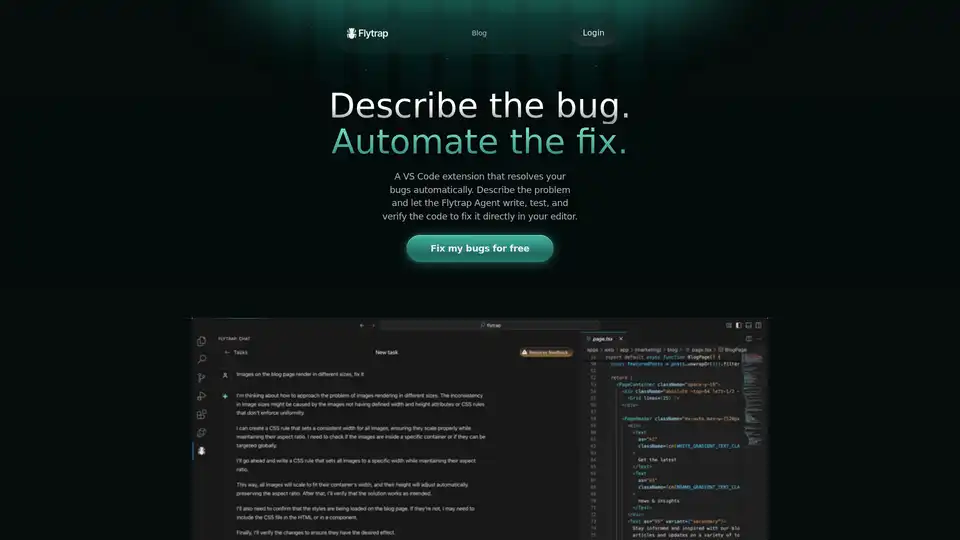
Overview of Flytrap
Flytrap: The AI-Powered VS Code Extension that Fixes Your Bugs Automatically
What if you could describe a bug in your code and have it automatically fixed? Flytrap is a VS Code extension that leverages AI to do just that. Designed for Node.js, JavaScript, and TypeScript codebases, Flytrap aims to automate the tedious process of bug fixing, allowing developers to focus on more creative and meaningful tasks.
What is Flytrap?
Flytrap is a VS Code extension that uses an AI agent to resolve bugs automatically. You describe the problem, and the Flytrap Agent writes, tests, and verifies the code to fix it directly in your editor.
How Does Flytrap Work?
Flytrap operates by utilizing an AI agent that has access to your project's filesystem and shell. Here's a breakdown of how it works:
- Describe the Bug: You provide a natural-language description of the bug within VS Code.
- Automated Fix: Flytrap creates a mirrored version of your repository to safely test potential fixes without disturbing your current workflow.
- AI Agent in Action: The AI agent writes, tests, and verifies code to address the described bug.
- Verification and Approval: Flytrap verifies the code by running and testing it. Once a solution is found and verified, it's presented to you for review.
- Merge Solution: You review the complete solution and, if satisfied, merge it into your project.
Key Features of Flytrap
- End-to-End Task Completion: Flytrap completes tasks from start to finish. You describe the bug, and Flytrap works in the background while you focus on other tasks.
- Effective AI: Flytrap has access to the same tools as you, which allows it to complete tasks that are difficult for other AI models. It also runs your programs to ensure that everything works as expected.
- Verification: Flytrap verifies that the code works by running and testing it. Once ready, you get a complete solution to review and merge into your project.
Why Choose Flytrap?
- Saves Time: Automates the process of bug fixing, freeing up your time for more important tasks.
- Increases Productivity: By handling bug fixes in the background, Flytrap allows you to continue working undisturbed.
- Ensures Quality: Verifies the code works by running and testing it, ensuring that the solution is effective.
- Maintains Control: Presents the fix for your review, giving you full control over what changes are implemented in your codebase.
Who is Flytrap for?
Flytrap is ideal for developers who:
- Work with Node.js, JavaScript, or TypeScript codebases.
- Want to automate the process of bug fixing.
- Want to save time and increase productivity.
- Value quality and control over their codebase.
How to Use Flytrap
Using Flytrap is straightforward:
- Install the Flytrap VS Code extension.
- Describe the bug in natural language within VS Code.
- Let Flytrap work in the background to find and verify a solution.
- Review the solution and merge it into your project.
Get Started with Flytrap
Ready to automate your bug fixing process? Download the Flytrap VS Code extension and start fixing bugs for free. Focus on what matters most and let Flytrap handle the bugs.
Tags Related to Flytrap
