MCP Server Practical Guide: Building, Testing, and Deploying from 0 to 1
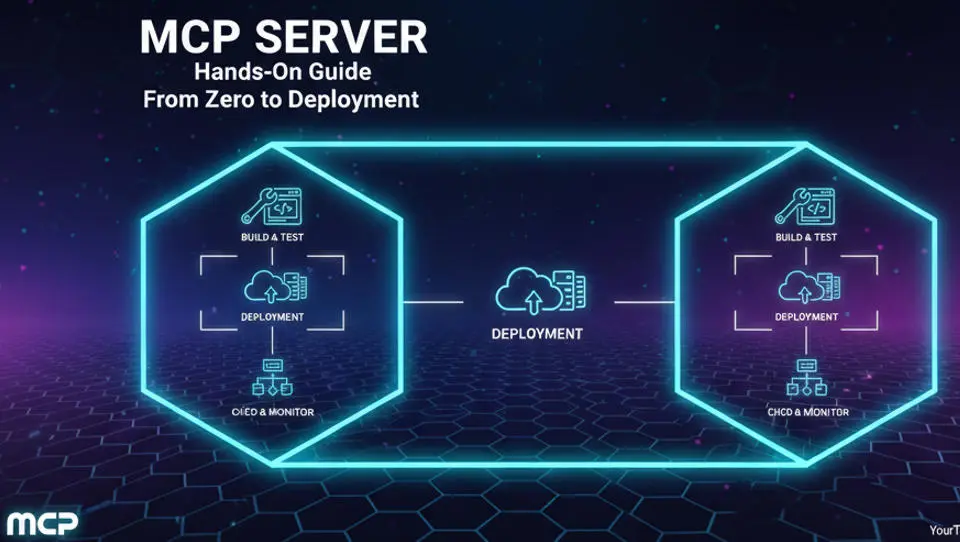
When building AI Agent systems, a common challenge is how an Agent can safely and reliably invoke external tools and data while being dynamically discoverable by the Agent. The Model Context Protocol (MCP) was created to provide a standardized interface protocol between Large Language Models (LLMs) and external data sources or tools.
Simply put, MCP defines the communication rules between LLMs (acting as Clients) and data/tool providers (acting as MCP Servers). This solves several core engineering problems:
- Fragmented Tool Governance: Unifies how tools are discovered, described, and invoked.
- Difficult Context and State Management: Standardizes mechanisms for context injection and transfer.
- Blurred Permissions and Security Boundaries: Establishes clear boundaries for tool and data access at the protocol layer.
- High Complexity in Heterogeneous System Integration: Bridges different backend systems through a standard protocol.
Typical Scenarios for MCP Servers:
- Multi-tool AI Agents: When your Agent needs to flexibly combine and call various capabilities such as querying, writing, calculation, and API operations.
- Internal Corporate Systems/Private Data Access: Safely exposing internal databases, CRMs, or knowledge bases to AI Agents.
- Agent Architectures Requiring Unified Context and Permissions: Managing user identity, session state, and data access permissions in complex multi-step workflows.
Scenarios Unsuitable for MCP Servers:
- Single API Calls: If you are simply mapping a user query to a fixed API endpoint, traditional Function Calling might be more lightweight.
- Simple Chatbots/Form-based Automation: Scenarios where task logic is fixed and dynamic tool discovery or combination is unnecessary.
Core Differences:
- vs. Function Calling: Function Calling is a proprietary implementation by LLM providers (such as OpenAI) used to describe and call functions, but its protocol and transport layers are usually not open. MCP is an open, vendor-agnostic protocol standard that defines a Server–Client communication model, as well as mechanisms for tool discovery (list_tools) and resource handling, providing a standardized foundation for upper-level Agent architectures.
- vs. Webhook: A Webhook is a one-way HTTP callback triggered by an event for notification purposes. MCP involves two-way request-response or streaming communication initiated by the Client (LLM) to pull tool execution results or data resources on demand.
This article is based on the official Model Context Protocol (MCP) specifications and focuses on real-world AI Agent engineering practices, summarizing the author's experience in corporate Agent system integration and MCP Server prototyping.
Target Audience:
- Technology enthusiasts and entry-level learners
- Professionals and managers seeking efficiency improvements
- Corporate decision-makers and business department heads
- General users interested in the future trends of AI
Table of Contents:
- 1. Technical Selection and Architectural Decisions Before Building an MCP Server
- 2. Environment Preparation and MCP Development Toolchain
- 3. Your First MCP Server: A Minimal but Extensible Example
- 4. MCP Server Debugging and Testing Methods
- 5. Production Deployment Patterns for MCP Servers
- 6. Performance, Stability, and High-Concurrency Practices
- 7. Security Design and Risk Control
- 8. FAQ and Troubleshooting Guide
- 9. Summary: How to Use MCP Servers in Real-World AI Agent Systems
1. Technical Selection and Architectural Decisions Before Building an MCP Server
1.1 Official MCP Protocol Implementation
The core of MCP is a messaging protocol based on JSON-RPC 2.0. Official SDKs (such as TypeScript and Python) encapsulate protocol details and provide the following key capabilities:
- Message Serialization/Deserialization: Automatically handles JSON-RPC requests and responses.
- Transport Layer Abstraction: Supports two standard transport methods: STDIO (Standard Input/Output) and SSE (Server-Sent Events) over HTTP.
- Server Lifecycle Management: Simplifies server initialization, tool registration, and startup processes.
- Type Safety (especially in TypeScript): Provides type interfaces for tool definitions and resource descriptions.
1.2 Core Architectural Components of an MCP Server
Understanding the components of an MCP Server is fundamental to design and implementation:
- Tools: Executable operations exposed by the Server to the MCP Client. Each Tool has a name, description, and a strongly typed input parameter schema (JSON Schema). In our conference room booking example,
book_conference_roomis a Tool. - Resources: Readable data units provided by the MCP Server to the MCP Client. Each Resource has a Uniform Resource Identifier (URI), a MIME type, and optional text content. For example, a
company-holiday-calendarcan be injected as a Resource into the LLM's context. - Prompts: Used to provide predefined prompt templates to the MCP Client to help guide LLM behavior. Their effectiveness depends on whether and how the Client consumes this capability.
- Transport: The communication method between the MCP Server and MCP Client. The MCP specification defines two:
- Stdio: Communication via standard input/output. Suitable for scenarios where the Server is started as a sub-process of the Client; easy to deploy.
- HTTP with Server-Sent Events (SSE): Based on HTTP Server-Sent Events. Suitable for scenarios where the Server runs as a standalone network service; supports remote connections.
1.3 Programming Language Selection (Engineering Perspective)
The choice depends on team skills, performance requirements, and the deployment environment.
Python:
Advantages: Flourishing ecosystem (especially in AI/ML), fast development speed, and mature official SDK. Ideal for rapid prototyping and connecting with various Python libraries (e.g., data analysis, ML models).
Concurrency Model: Based on
asynciofor asynchronous I/O, suitable for I/O-intensive operations like network requests and database queries. For CPU-intensive tasks, be mindful of the Global Interpreter Lock (GIL).Best Use Cases: Rapid validation, data science tools, teams familiar with Python.
Node.js (TypeScript):
Advantages: High-performance asynchronous non-blocking I/O, mature official SDK, and suitable for building high-concurrency network services. TypeScript provides excellent type safety.
Concurrency Model: Event-driven with outstanding capability to handle high-concurrency connections on a single thread.
Best Use Cases: Scenarios requiring a large number of concurrent Tool calls or deep integration with frontend or Node.js backend services.
Go:
Advantages: Static compilation, simple deployment, extremely high concurrency performance (goroutines), and high memory efficiency.
Challenges: Currently lacks an official SDK (requires community implementation or self-development), and the ecosystem is slightly weaker in the AI field compared to Python/Node.
Best Use Cases: Production environments with strict requirements for performance and resource consumption, or companies with a Go-based tech stack.
2. Environment Preparation and MCP Development Toolchain
We will use a "Conference Room Booking System" as an example to explain in detail how to develop an MCP Server from scratch that is debuggable, deployable, and sustainable.
The following sample code has been fully verified in a local environment (Python 3.13.3, mcp Python SDK v1.25.0) using the HTTP SSE communication mode to demonstrate the implementation of a minimum viable MCP Server.
2.1 Minimum Runnable MCP Server Environment
Using Python as an example, you will need:
Python 3.13.3+: Ensure version compatibility.
MCP Python SDK: Install via pip.
pip install mcp
pip install pydantic
Text Editor or IDE: Such as VS Code.
Terminal: For starting and testing the MCP Server.
2.2 Official MCP SDKs and Ecosystem Tools
- SDK Functional Coverage: The Python SDK
mcplibrary provides core classes (such asServer,Tool) for creating servers, defining Tools/Resources, and handling requests. - Supporting Tools:
- MCP Inspector: A graphical client tool for debugging and testing MCP Servers. You can use it to connect to your Server, list all Tools/Resources, and manually invoke Tools. It is an indispensable tool during the development phase.
- CLI Tools: Some SDKs or community projects may provide scaffolding CLIs for quick project initialization.
2.3 Essential Development Toolkit Checklist
- Logging: Integrate structured logging into the Server code to record requests, parameters, and errors—this is the foundation of debugging.
- Schema Validation: Utilize the SDK's type hinting and JSON Schema validation features to ensure inputs and outputs meet expectations.
- HTTP Server: This example code is based on the HTTP SSE communication method and uses
uvicornas the HTTP server.
3. Your First MCP Server: A Minimal but Extensible Example
We will implement a book_conference_room Tool. Logic: Receive booking request → Check parameters → Query the database (simulated with an in-memory dictionary) for availability at the specified time → If available, return the booked room number; if not, return the failure message "No rooms available."
3.1 Design Principles for Defining Tools and Resources
Tool Granularity:
- A Tool should complete a logically independent and complete operation.
book_conference_roomis a good example: input time, output booking result. - Avoid creating "God Tools" (one Tool that does everything). Also, avoid over-splitting (e.g., if
check_room_availabilityandconfirm_bookingare highly atomic, they can be kept together).
Boundaries Between Resources and Tools:
- Resources are static or slow-changing context information for the LLM to read, such as company policy documents or product catalogs.
- Tools are dynamic operations with side effects, such as creating, updating, deleting, or calculating.
- In our example, the
Meeting Room User Manualcould be a Resource, while the booking operation must be a Tool.
Best Practices for Context Transfer:
- User identity, session tokens, etc., should be passed through the MCP request's
Context(if supported by the Client). - The Server should verify identity information in the Context and use it in business logic. For example,
book_conference_roomneeds to know who is booking; this information can be retrieved from the Context.
3.2 Request and Response Structure Design
Use the Python SDK's Tool class and Pydantic models to define strongly typed inputs.
Content of "conference_room_server.py":
import asyncio
from datetime import datetime, timedelta
from typing import Any

from mcp.server import Server
from mcp.server.sse import SseServerTransport
from mcp.types import Tool, TextContent, CallToolResult
from pydantic import BaseModel, Field
from starlette.applications import Starlette
from starlette.routing import Route, Mount
from starlette.responses import Response

## 1. Define a Pydantic model for the input parameters.
class BookRoomInput(BaseModel):
    start_time: datetime = Field(..., description="Meeting start time, format: YYYY-MM-DD HH:MM")
    duration_hours: float = Field(..., gt=0, le=8, description="Meeting duration (hours), maximum 8 hours")

class RoomBookingSystem:
    def __init__(self):
        """ Simulate two meeting rooms, where the value is a list of already booked time slots."""
        self.rooms = {"A101": [], "B202": []}

    def is_room_available(self, room_id: str, start: datetime, duration_hours: float) -> bool:
        """Check if the specified meeting room is available during the given time period."""
        end = start + timedelta(hours=duration_hours)
        for b_start, b_end in self.rooms[room_id]:
            if not (end <= b_start or start >= b_end): return False
        return True

    def book_room(self, room_id: str, start: datetime, duration_hours: float, booker: str) -> bool:
        """Attempt to book the meeting room and return whether it was successful."""
        if self.is_room_available(room_id, start, duration_hours):
            self.rooms[room_id].append((start, start + timedelta(hours=duration_hours)))
            return True
        return False

booking_system = RoomBookingSystem()

## --- 2. Create an MCP Server instance ---
server = Server("conference-room-booking")
3.3 Detailed MCP Server Invocation Flow
Now, create the Server and implement the logic for handling the Tool.
## List of tools
@server.list_tools()
async def handle_list_tools() -> list[Tool]:
    return [
        Tool(
            name="book_conference_room",
            description="Book a meeting room for a specific time.",
            inputSchema=BookRoomInput.model_json_schema()
        )
    ]

## Meeting room booking logic
@server.call_tool()
async def handle_call_tool(name: str, arguments: dict[str, Any] | None) -> CallToolResult:
    if name != "book_conference_room" or not arguments:
        return CallToolResult(is_error=True, content=[TextContent(type="text", text="Parameter error")])
    try:
        input_data = BookRoomInput(**arguments)
        booked = False
        booked_room = None
        for room_id in booking_system.rooms.keys():
            if booking_system.book_room(room_id, input_data.start_time, input_data.duration_hours, "demo_user"):
                booked, booked_room = True, room_id
                break
        res_text = f"Booking successful! Room {booked_room}" if booked else "Booking failed"
        return CallToolResult(is_error=False, content=[TextContent(type="text", text=res_text)])
    except Exception as e:
        return CallToolResult(is_error=True, content=[TextContent(type="text", text=str(e))])

## --- 3. HTTP SSE Transport Layer Settings ---
## Create an SSE transport instance
sse = SseServerTransport("/messages")

async def handle_sse(request):
    """Handles client requests to establish an SSE connection."""
    async with sse.connect_sse(
        request.scope,
        request.receive,
        request._send
    ) as (read_stream, write_stream):
        # Run MCP Server
        await server.run(
            read_stream,
            write_stream,
            server.create_initialization_options()
        )
    return Response()


## Define Starlette routes
app = Starlette(
    routes=[
        Route("/sse", endpoint=handle_sse),
        Mount("/messages", app=sse.handle_post_message),
    ]
)

if __name__ == "__main__":
    import uvicorn
    # Start the service and listen on port 8000
    print("MCP SSE Server running on http://127.0.0.1:8000/sse")
    uvicorn.run(app, host="127.0.0.1", port=8000)
Invocation Flow Analysis:
- Client → Server: The Client (e.g., Claude Desktop, MCP Inspector) sends a
list_toolsrequest via HTTP SSE. The Server returns the list of Tools. - Client Decision: The LLM decides to call
book_conference_roombased on the user's command ("Help me book a room for 2 hours starting tomorrow at 2 PM"). - Tool Execution: The Client sends a
callToolrequest containing thenameandarguments. The Server routes it to thehandle_call_toolfunction. - Internal Processing:
- Parameter Validation: The Pydantic model automatically validates the
start_timeformat andduration_hoursrange. - Business Logic: Iterates through simulated meeting rooms, checks availability, and attempts to book.
- State Change: Successful booking modifies the
booking_system.roomsstate. - Logging: Prints the booking log.
- Returning Results: The Server encapsulates the
CallToolResultinto a JSON-RPC response and sends it back to the Client. - Context Injection: If this Tool requires user identity, the Client should carry the identity token in the
contextfield of thecallToolrequest. The Server'shandle_call_toolfunction should parse and verify this token from the request object (simplified to a fixed user in this example).
Goal Achieved: The above is a complete, runnable MCP Server MVP. it features clear input definitions, business logic, error handling, and logging, providing a solid foundation for further expansion.
4. MCP Server Debugging and Testing Methods
4.1 Local Debugging Workflow
- Startup Method: Run your Python script directly using
python conference_room_server.py. The script will start the HTTP SSE service and enter an event loop, waiting for the MCP Client to connect. - Connecting with MCP Inspector: This is the most effective debugging method.
- View
book_conference_roomin the “Tools” tab. - View defined resources (if any) in the “Resources” tab.
- Directly call the Tool in the “Session” tab, fill in parameters, and observe return results and server-side logs.
- Log Observation Points: Print logs at the start, end, and exception capture points of your Tool handler. Observe if parameters are correctly parsed and if business logic executes as expected.
- Common Startup Failure Reasons:
- Python Path Error: MCP Inspector cannot find the
pythoncommand. - Missing Dependencies:
mcporpydanticlibraries are not installed. - Script Syntax Errors: The Python interpreter will report errors before startup.
- Port Conflict (SSE mode only): The specified HTTP port is already occupied.
4.2 Functional Testing by Simulating an MCP Client
Besides the Inspector, you can write simple test scripts to simulate Client behavior:
Content of "test_client.py":
import asyncio
from mcp import ClientSession
from mcp.client.sse import sse_client


async def test_booking_http():
    # 1. Define the SSE address of the server
    server_url = "http://127.0.0.1:8000/sse"

    print(f"Connecting to MCP SSE Server: {server_url}...")

    try:
        # 2. Use the standard sse_client to establish the transport layer.
        async with sse_client(server_url) as (read_stream, write_stream):
            # 3. Create a standard client session
            # The session will automatically complete the initialize handshake and send the notifications/initialized notification.
            async with ClientSession(read_stream, write_stream) as session:

                # Initialize handshake
                print("[1/3] Performing protocol handshake...")
                await session.initialize()
                print("The handshake was successful.!")

                # 4. List all tools (corresponds to tools/list)
                print("\n[2/3] Retrieving tool list...")
                tools_result = await session.list_tools()
                print(f"Available tools: {[tool.name for tool in tools_result.tools]}")

                #5. Calling the pre-defined tools (corresponding to tools/call)
                print("\n[3/3] Attempting to book the meeting room...")
                arguments = {
                    "start_time": "2025-12-25 14:00",
                    "duration_hours": 2.0
                }

                # `#call_tool` is a standard SDK method that automatically handles response encapsulation.
                result = await session.call_tool("book_conference_room", arguments)

                # Parse the returned content.
                for content in result.content:
                    if content.type == "text":
                        print(f"\n[Server response]: {content.text}")

    except ConnectionRefusedError:
        print("Error: Unable to connect to the server. Please ensure the server is running on port 8000.")
    except Exception as e:
        print(f"An error occurred during execution: {type(e).__name__}: {e}")


if __name__ == "__main__":
    asyncio.run(test_booking_http())
Schema Validation Failure Troubleshooting: If invocation fails, check the error message returned by the Inspector or test script. It is usually due to parameter typos, type mismatches (e.g., passing a string where an integer is expected), or missing required fields.
Context Loss Troubleshooting: If Tool logic depends on Context but fails to retrieve it, check:
- Whether the Client is configured to send Context.
- Whether the Server-side handler correctly extracts Context data from the request object.
4.3 Common Development Phase Error Checklist
- Tool Not Discoverable: Check if the
list_toolsmethod is correctly registered and returns the Tool definition. Ensure all Tools are successfully loaded when the Server starts. - Timeout: The Tool handler takes too long to execute. Optimize code logic or set a reasonable timeout on the Client side. For long-running tasks, consider implementing asynchronous notifications or result polling mechanisms.
- Parameter Mismatch: The parameter JSON structure sent by the Client does not match the Tool’s
inputSchema. Use strict model validation (like Pydantic) and provide clear prompts in error messages.
5. Production Deployment Patterns for MCP Servers
Deployment should focus on the operational characteristics of the MCP Server as an independent process. Integration with the Agent usually occurs by running as a sub-process of the Agent (via Stdio) or as an independent network service (via HTTP/SSE).
5.1 Stateless Design and Session State Management for MCP Servers
Core Principle: The MCP Server should be as stateless as possible.
- State Management Strategy: Any state that needs to persist across multiple Tool calls (such as a user's shopping cart or intermediate results of a multi-step approval flow) should not be stored in the Server process memory. Instead:
- Use the MCP
Contextmechanism to have the Client carry necessary state in every request. - Store it in external persistent systems like databases, Redis, or file storage. Server Tools can operate on state by querying or updating these external systems.
- Collaboration with Agents: The Agent (Client) is responsible for maintaining the conversation state and user intent. The MCP Server only responds to atomic Tool calls. For example, booking a meeting room is an atomic operation ensured by the Server; however, multi-step planning like "Finding a suitable time and booking for next week's team meeting" should be coordinated by the Agent.
5.2 Deployment Comparison: Local vs. Cloud vs. Containerized
- Local Deployment: The Server and Agent Client run on the same physical or virtual machine. Suitable for development, testing, or small-scale internal applications. Low cost, but poor scalability and availability.
- Containerized Deployment (Recommended): Package the Server into a Docker container. This offers huge benefits in environment consistency, ease of scaling (via Kubernetes), and simplified dependency management. Preferred for production environments.
- Cloud Serverless Deployment: Deploy the Server as a cloud function (e.g., AWS Lambda, Google Cloud Functions). Suitable for scenarios with infrequent calls or bursty traffic. However, watch for cold start latency and runtime limits, which may not be suitable for long-duration tasks or scenarios requiring persistent TCP/SSE connections.
5.3 Configuration Management and Secret Security
Never hardcode secrets, passwords, API tokens, or database connection strings in your code.
Environment Variables: Inject configurations through environment variables. Use the
-eflag or secret management in Docker; use ConfigMaps and Secrets in Kubernetes.import os database_url = os.getenv('DATABASE_URL') api_key = os.getenv('EXTERNAL_API_KEY') if not database_url: raise ValueError("DATABASE_URL environment variable is not set")Secret Management: Use professional secret management services like HashiCorp Vault, AWS Secrets Manager, or Azure Key Vault. The application should dynamically pull keys from these services at startup.
Hot Configuration Updates: For configurations that need dynamic adjustment (like rate limit thresholds), store them in an external database or configuration center (like etcd or ZooKeeper) and have the Server listen for changes. Avoid frequent Server restarts.
6. Performance, Stability, and High-Concurrency Practices
"High concurrency" in this chapter refers to the concurrent Tool call requests that the MCP Server itself can handle. Rate limiting and circuit breaking are strategies implemented by the Server to protect itself or downstream systems.
6.1 Concurrency Models for MCP Tool Invocations
Python (asyncio): Uses
async/awaitfor coroutine concurrency. While a Tool handler is waiting for a database query or external API response (theawaitstate), the event loop can switch to processing another Tool request. This is ideal for I/O-intensive operations.Key: Ensure all blocking I/O operations use asynchronous libraries (e.g.,
asyncpgfor PostgreSQL,aiohttpfor HTTP requests).Node.js: Similar event-loop-based asynchronous model, naturally supporting high-concurrency I/O.
Go: Each connection or request is typically handled by an independent goroutine, utilizing multi-core capabilities and performing excellently in both I/O and CPU-intensive tasks.
I/O-Intensive Optimization:
- Use connection pools to manage database and external service connections.
- Set reasonable timeout and retry policies for external HTTP requests.
- Consider adding a caching layer (like Redis) for frequently read data that changes slowly.
6.2 Designing for Timeout, Retry, and Failure Boundaries
Timeout Propagation: Set a total timeout for every Tool call. If a Tool calls multiple downstream services internally, their timeouts should be shorter than the Tool’s total timeout, and downstream timeout exceptions should be handled gracefully.
The Risks of Retries: Retry decisions should be made by the Client (Agent), not automatically within the Server Tool. This is because:
A Tool might not be idempotent (multiple executions yielding the same result). For example, if
book_conference_roomretries due to a network timeout, it might lead to duplicate bookings.The Client has a more complete context (e.g., user instructions) and can decide if and how to retry.
The Server should provide clear, actionable information in error responses to help the Client make decisions.
Idempotency Requirements: For write-operation Tools, try to design them as idempotent—for example, by having the Client provide a unique request ID so the Server can avoid duplicate processing.
6.3 Rate Limiting, Circuit Breaking, and Fallback Strategies
Tool-Level Protection:
- Rate Limiting: Use token bucket or leaky bucket algorithms to limit rates per Tool or per user/API Key. This prevents a single Tool from being over-called and crashing the Server or downstream services.
- Circuit Breaking: When a downstream service (like a database or external API) fails consecutively beyond a threshold, temporarily "trip" the circuit to fail fast directly for a period, then try to recover using a half-open state probe. Libraries like
pybreaker(Python) can be used.
Agent-Level Rate Limiting: Implement global rate limiting at the Server entry point for specific Clients or total request volume.
Fallback: Provide degraded alternatives when core services are unavailable. For example, if the real-time meeting room query service is down, the
book_conference_roomTool can fall back to returning a static response like "Service temporarily unavailable, please try again later," rather than waiting for a timeout.
7. Security Design and Risk Control
Security control focuses on the parts that MCP Server developers need to implement. The MCP protocol itself does not provide authentication or authorization mechanisms; all security validation logic must be implemented by the Client and Server at the application layer.
7.1 Security Threat Model for MCP Servers
Specific threat examples:
- Unauthorized Invocations: A Client with only "query" permissions successfully invokes a "delete" Tool by constructing a request. Or, a Tool authorized to access "Dept A's Data API" is abused by a Client to try and access "Dept B's Data."
- Data Leakage: A Tool accidentally returns sensitive information in error responses or logs (e.g., database error details containing table structures or SQL statements).
- Context Injection Risks: Blindly trusting Context data from the Client without verification for database queries or command execution can lead to SQL injection or command injection.
7.2 Permissions and Access Control Practices
Implement a "Three-Layer Permission Validation" model:
- Transport Layer: Who can connect to the Server?
- Stdio: Typically controlled by OS process permissions; the Client needs permission to start the Server sub-process.
- SSE/HTTP: Use TLS (HTTPS) for encrypted communication. Use network-level firewalls, API gateways, or require valid client certificates (mTLS) to restrict connections.
- Tool Invocation Layer: Can the current user/identity call this Tool?
- Extract identity tokens (like JWT) from the request
Context. - Verify token signatures and expiration.
- Based on the roles or permission claims in the token, determine if calling the
book_conference_roomTool is permitted. A simple "role-tool" mapping table can be maintained.
- Data Layer: Can this identity access the target resource?
- Perform fine-grained validation within the
book_conference_roombusiness logic. - For example, even if the user is allowed to call the booking Tool, check if they belong to the department authorized to use the room or if their booking duration exceeds the limit.
- This requires querying external user directories or permission systems.
Principle of Least Privilege: Each Tool should only have the minimum permissions necessary to complete its function. For example, a query Tool should only have read-only database permissions.
7.3 Security Incident Response Strategies
- Log Forensics: Ensure all authentication, authorization decisions, Tool calls (including parameters), and key business operations have structured logs, collected centrally in a secure log platform (e.g., ELK Stack, Splunk).
- Fast Tool Deactivation: If a serious vulnerability is found in a Tool, you should have the capability to quickly disable that Tool via configuration switches or by releasing a new version without taking the entire Server offline.
- Rollback Strategy: When releasing a new Server version, have previous Docker images or deployment packages ready to quickly roll back in case of security or functional issues.
8. FAQ and Troubleshooting Guide
These issues are typical at either the MCP protocol layer or the Server implementation layer.
8.1 MCP Server Startup Failure Checklist
| Phenomenon | Possible Cause | Checklist |
|---|---|---|
| Process exits immediately | Python syntax error, missing dependencies | 1. Run python your_server.py directly in the terminal to see the error output.2. Run pip list |
| MCP Inspector connection failed | Transfer method or path configuration error | 1. Confirm that the transfer method (Stdio/SSE) selected in Inspector matches the method used in the Server code.2. Confirm that the "command" and "arguments" for Stdio point to the correct Python interpreter and script path. |
Client reports Tool not found |
Tool not registered correctly or name mismatch | 1. Check if the return value of the list_tools method in the Server code includes the target Tool.2. Compare the Tool name string with the name used when the Client calls it (case-sensitive). |
8.2 Performance Anomaly Diagnosis Process
- Locating Slow Requests:
- Record timestamps at the beginning and end of the Tool handler function.
- Use performance analysis tools like Python cProfile or py-spy to pinpoint which function or external call is taking the longest.
- Concurrency Bottleneck Analysis:
- Use monitoring tools to observe the system's CPU, memory, and I/O usage as concurrent requests increase.
- If the database is the bottleneck, check slow query logs and optimize indexes and query statements.
- Check for synchronous blocking operations (e.g., using a non-async database driver) that might be blocking the event loop in an asynchronous environment.
8.3 Production Incident Review and Improvement
Classic Case: SQL Injection
- Scenario: A
search_documentsTool receives user-input keywords and directly concatenates them into an SQL string for querying. - Attack: A user inputs
”’; DROP TABLE documents; --”. - Consequence: Data is corrupted or leaked.
- Root Cause: The Tool implementation failed to validate input or use parameterized queries.
- Lessons & Improvements:
- All Tool input parameters must undergo strict Schema validation (e.g., using Pydantic to limit type, length, and range).
- Always use parameterized queries (prepared statements) or an ORM to access databases; never concatenate SQL strings.
- Return generic, user-friendly messages in error responses to avoid leaking details like database structure.
- Make secure coding standards and code reviews mandatory processes, focusing on all code involving external system interactions.
9. Summary: How to Use MCP Servers in Real-World AI Agent Systems
- The Position of MCP Servers in Agent Architecture: It serves as a standardized and secure connection bridge between the AI Agent (the brain/coordinator) and its "hands" (tools) and "eyes" (data sources). Agents dynamically discover and use capabilities provided by the Server via the MCP protocol.
- Evolution Path from MVP to Production:
- Phase One (MVP): A single MCP Server containing a few core Tools (e.g.,
book_room,query_calendar), running via Stdio on the same development machine as the Agent (e.g., Claude Desktop). Quickly validate ideas. - Phase Two (Development): Split into multiple single-responsibility MCP Servers based on functional domains. For example:
calendar-server: Manages calendars and events.conference-server: Manages rooms and equipment.user-directory-server: Provides employee info queries. The Agent can connect to multiple Servers simultaneously to combine their capabilities for complex tasks.
- Phase Three (Platformization): Introduce service registration and discovery mechanisms (e.g., Consul, etcd). MCP Servers register their provided Tools with the registry upon startup. Agents dynamically discover available Servers and establish connections from the registry. Additionally, add health checks, load balancing, and unified monitoring/alerting.
- Next Steps for Exploration:
- Deepen your use of advanced features in debugging tools like MCP Inspector .
- Explore how to integrate MCP Servers with mainstream Agent frameworks (like LangChain or LlamaIndex), which are adding native support for MCP.
- Research more complex patterns, such as the Server actively pushing resource updates to the Client (change notifications for Resources).
- Follow updates from the Official Model Context Protocol and SDKs to adopt new protocol features and best practices promptly.
Through this guide, you have mastered the core knowledge and practical skills for building a robust, secure, and scalable MCP Server. Now, it's time to safely connect your internal systems to the world of AI Agents.
MCP Article Series:
- Comprehensive Analysis of MCP Server: The Context and Tool Communication Hub in the AI Agent Era
- What Key Problems Does MCP Server Solve? Why AI Agents Need It
- MCP Server Architecture and Working Principles: From Protocol to Execution Flow
- MCP Server Practical Guide: Building, Testing, and Deploying from 0 to 1
- MCP Server Application Scenarios Evaluation and Technical Selection Guide
About the Author
This content is compiled and published by the NavGood Content Editorial Team.
NavGood is a navigation and content platform focusing on AI tools and the AI application ecosystem, tracking the development and practical implementation of AI Agents, automated workflows, and Generative AI.
Disclaimer: This article represents the author's personal understanding and practical experience. It does not represent the official position of any framework, organization, or company, nor does it constitute commercial, financial, or investment advice. All information is based on public sources and the author's independent research.
References:
[1]: https://github.com/modelcontextprotocol/inspector "MCP Inspector"
[2]: https://modelcontextprotocol.io/docs/getting-started/intro "What is the Model Context Protocol (MCP)?"
[3]: https://platform.openai.com/docs/guides/function-calling "Function calling"
[4]: https://docs.python.org/3/library/profile.html "The Python Profilers"
[5]: https://github.com/benfred/py-spy "Sampling profiler for Python programs"
[6]: https://github.com/modelcontextprotocol/python-sdk "The official Python SDK for MCP servers and clients"
[7]: https://github.com/modelcontextprotocol/typescript-sdk "The official TypeScript SDK for MCP servers and clients"
[8]: https://json-rpc.org/specification "JSON-RPC 2.0 Specification"
[9]: https://etcd.io/ "A distributed, reliable key-value store for the most critical data of a distributed system"
[10]: https://zookeeper.apache.org/ "What is ZooKeeper?"
[11]: https://aws.amazon.com/cn/secrets-manager/ "AWS Secrets Manager"
[12]: https://developer.hashicorp.com/vault "Manage Secrets & Protect Sensitive Data"
[13]: https://azure.microsoft.com/en-us/products/key-vault "Azure Key Vault"